


Faire défiler vers le haut

Project Design:

Project Development: Planned, Built, and Handed Over Properly

Whether it's a new website, an application, or a custom integration, we run projects so you know what's being built, when it's due, and what you'll have at the end. No surprises, and no guesswork left behind for whoever maintains it next.

Planning & Scope

  • Clear goals and scope agreed before any work starts
  • A practical roadmap with milestones, so you can see progress at each stage
  • Prioritised features, so the important things are built first

Build Quality

  • Clean, well-structured code that's easy to maintain and extend
  • Fast, responsive pages that work properly on any device or browser
  • Sound foundations for search visibility and future growth

Integration

  • Connection to your existing tools and platforms, where needed
  • Automated workflows that cut out manual re-entry and reduce errors

Security & Testing

  • Security built in: protection against common vulnerabilities, careful permissions, and safe handling of client data
  • Tested across browsers, devices, and screen sizes before anything goes live
  • Accessibility checks as part of sign-off

Launch & Handover

  • A controlled go-live, staged where it makes sense, to keep disruption low
  • Documentation covering how it works and why decisions were made
  • Room to grow, so adding features later doesn't mean starting again

You get a stable, secure solution delivered on a clear plan, one that fits how your business works today and can adapt as it changes.

Conception Web :

Développement IA :

Ce que votre appareil mobile et sa configuration incluront

Mobile Device Setup And Configuration

  • Structured smartphone and tablet setup aligned with organisational needs
  • Reliable configuration across Android and Apple mobile devices
  • Consistent settings across user devices and environments
  • Improved readiness for day-to-day business use
  • Support for secure and dependable mobile working
  • Alignment between device configuration and operational workflows
  • Reduced complexity across mobile device settings
  • Improved stability across connected applications and services
  • Clear device configuration supporting long-term use
  • Confidence in mobile device reliability from the outset

User Accounts And Mobile Access

  • Structured user account configuration across mobile services
  • Controlled access aligned with individual responsibilities
  • Secure access to business email, files, and applications
  • Improved consistency across user authentication
  • Support for multifactor authentication processes
  • Reduced exposure to unauthorised access risks
  • Safer use of organisational resources from mobile devices
  • Clear separation between business and personal information
  • Improved control across mobile user environments
  • Stronger protection of organisational resources

Mobile Email And Communication Support

  • Professional email configuration on smartphones and tablets
  • Reliable account synchronisation and message delivery
  • Improved mailbox access across supported devices
  • Support for calendars, contacts, and shared mailboxes
  • Safer handling of business communication
  • Improved spam and phishing protection readiness
  • Structured calendar coordination across mobile users
  • Paramètres de communication cohérents sur tous les appareils
  • Visibilité améliorée de la communication organisationnelle
  • Confiance dans la fiabilité de la messagerie mobile

Applications mobiles et gestion des données

  • Installation d'applications organisée, alignée sur les exigences de l'entreprise
  • Accès amélioré aux données organisationnelles
  • Gestion structurée des applications professionnelles et de productivité
  • Accès clair aux fichiers et aux ressources partagées
  • Réduction de la duplication des informations stockées
  • Gestion plus sûre des données d'application
  • Visibilité améliorée de l'utilisation du stockage et des ressources de l'appareil
  • Prise en charge des flux de travail structurés de sauvegarde et de récupération
  • Meilleure coordination entre les applications et les appareils
  • Accessibilité renforcée des informations organisationnelles précises

Prise en charge de la connectivité des smartphones et tablettes

  • Configuration de connectivité structurée pour les utilisateurs mobiles
  • Configuration fiable du Wi-Fi, du Bluetooth, des données mobiles et du point d'accès
  • Connectivité améliorée dans les environnements de bureau et à distance
  • Prise en charge des connexions VPN sécurisées et d'accès à distance
  • Comportement de connexion cohérent sur les appareils pris en charge
  • Visibilité améliorée des paramètres réseau et de connexion
  • Réduction des interruptions entre les services de communication mobile
  • Prise en charge du travail à distance et hybride efficace
  • Meilleur alignement entre la connectivité et l'activité commerciale
  • Fiabilité de connexion renforcée sur les appareils mobiles

Sécurité mobile et protection des appareils

  • Configuration de sécurité structurée alignée sur les besoins organisationnels
  • Protection améliorée des données professionnelles et personnelles
  • Configuration plus sûre des verrous d'écran, des données biométriques et des mots de passe
  • Exposition réduite aux risques courants de sécurité mobile
  • Cohérence améliorée des contrôles de sécurité
  • Prise en charge du chiffrement et de l'accès sécurisé aux appareils
  • Meilleure préparation à la récupération d'appareils perdus ou volés
  • Meilleure visibilité des paramètres de sécurité et de confidentialité
  • Protection renforcée des applications mobiles
  • Confiance dans la sécurité des appareils mobiles

Gestion et mises à jour des appareils mobiles

  • Prise en charge de la gestion des appareils mobiles organisationnels
  • Coordination améliorée entre les utilisateurs, les appareils et les applications
  • Réduction des exigences de configuration manuelle
  • Gestion structurée du déploiement et des autorisations des applications
  • Cohérence améliorée des mises à jour du système d'exploitation et des applications
  • Flux de configuration et de support plus rapides
  • Prise en charge des améliorations futures de la gestion évolutive des appareils
  • Productivité améliorée des utilisateurs mobiles
  • Meilleure visibilité de l'état et de la conformité des appareils
  • Administration plus efficace des appareils mobiles

Intégration avec les systèmes d'entreprise

  • Interaction améliorée entre les appareils mobiles et les services d'entreprise
  • Accès structuré à l'e-mail, au stockage cloud et aux outils de collaboration
  • Réduction de la duplication des efforts entre les appareils et les plateformes
  • Cohérence améliorée des flux opérationnels
  • Prise en charge de la gestion coordonnée des fichiers et des informations
  • Meilleure communication entre les environnements mobiles et de bureau
  • Alignement plus fort entre les appareils et les besoins organisationnels
  • Expérience utilisateur améliorée sur les applications connectées
  • Prise en charge de l'extension des capacités mobiles existantes
  • Efficacité opérationnelle quotidienne améliorée

Documentation et conseils de support mobile

  • Visibilité claire des paramètres des appareils mobiles implémentés
  • Structured understanding of device configuration
  • Easier onboarding for future users and administrators
  • Reduced reliance on undocumented configuration changes later
  • Improved continuity across device replacements and updates
  • Support for future configuration adjustments
  • Transparent mobile environment overview
  • Improved maintainability across supported devices
  • Better long-term device ownership clarity
  • Confidence in future mobile device stability

Summary

This mobile device support and configuration approach provides secure, reliable, and well-organised smartphones and tablets with protected user access, dependable communication, managed applications, stable connectivity, and integrated business services aligned with operational requirements. The result is an efficient mobile environment that supports flexible working, improves productivity, and strengthens day-to-day operations across your organisation.

Linode:

Linode Cloud Hosting: Reliable Servers, Set Up and Looked After

Linode gives you flexible, good-value cloud servers, but they're only as good as their setup. We deploy, secure, and maintain your Linux servers so your websites and applications stay fast, available, and protected.

Server Setup & Access

  • Linode servers deployed and configured on the Linux distribution that suits your needs
  • Secure administrative access using SSH keys, with admin and standard user roles kept separate
  • Consistent configuration across every server, so nothing is a one-off

Hosting & Applications

  • Web servers, databases, and applications deployed for websites, content management systems, and custom software
  • Domains and DNS configured properly, so everything resolves and stays available
  • Performance and availability monitoring so problems are spotted early

Storage & Networking

  • Block and object storage set up and sized for your data
  • Backup and recovery planned around your applications and databases
  • Public and private networking, with VPN and secure remote access where needed

Security & Maintenance

  • Firewalls, SSH hardening, and access controls to reduce common cloud risks
  • Encryption and activity logging, with a plan for responding to incidents
  • Regular updates for the operating system and applications, handled in a controlled way

Integration & Documentation

  • Connection to your existing systems, applications, and cloud platforms
  • Clear documentation, so anyone taking over knows how it's all set up

The result is a secure, dependable cloud server environment that's easy to scale, straightforward to manage, and built around what your business actually needs.

Microsoft 365 Azure:

Microsoft 365 & Azure Development: Making the Microsoft Cloud Work for You

Most businesses already pay for Microsoft 365 but use only a fraction of it. We connect and extend what you have, automating routine work, building custom apps on Azure, and keeping identity, access, and data secure.

Security & Access

  • Identity and access management through Microsoft Entra ID, with permissions matched to each role
  • Secure remote and external collaboration, so the right people get the right access
  • Governance and compliance readiness built in from the start

Workflow Automation & Power Platform

  • Power Automate workflows for approvals, notifications, and repetitive admin tasks
  • Custom Power Apps built around how your teams actually work
  • Less manual processing, with clearer visibility of where each task stands

SharePoint & Collaboration

  • Well-organised document libraries with sensible structure and permissions
  • Teams, Outlook, and SharePoint connected to your day-to-day processes
  • Version control and easy search, so people find the right file first time

Azure Applications & Hosting

  • Custom cloud applications built and hosted on Azure
  • Controlled deployment, staged where appropriate, with monitoring in place
  • Less infrastructure to look after than traditional on-site hosting

Built to Grow

  • Flexible architecture that can take on new services and users without a rebuild
  • Clear upgrade paths, so today's investment keeps paying off

The result is a secure, joined-up Microsoft environment that improves collaboration, reduces manual work, and scales as your business does.

Microsoft 365 :

Microsoft 365 Setup & Configuration: Set Up Properly From Day One

A Microsoft 365 tenant that's set up well saves time every day. A badly configured one causes problems for years. We configure your environment around how your business works, securing it properly and documenting what we've done.
Setup & Access

  • Tenant configuration matched to your organisation and workflows
  • User accounts and role-based access, with admin and standard access kept separate
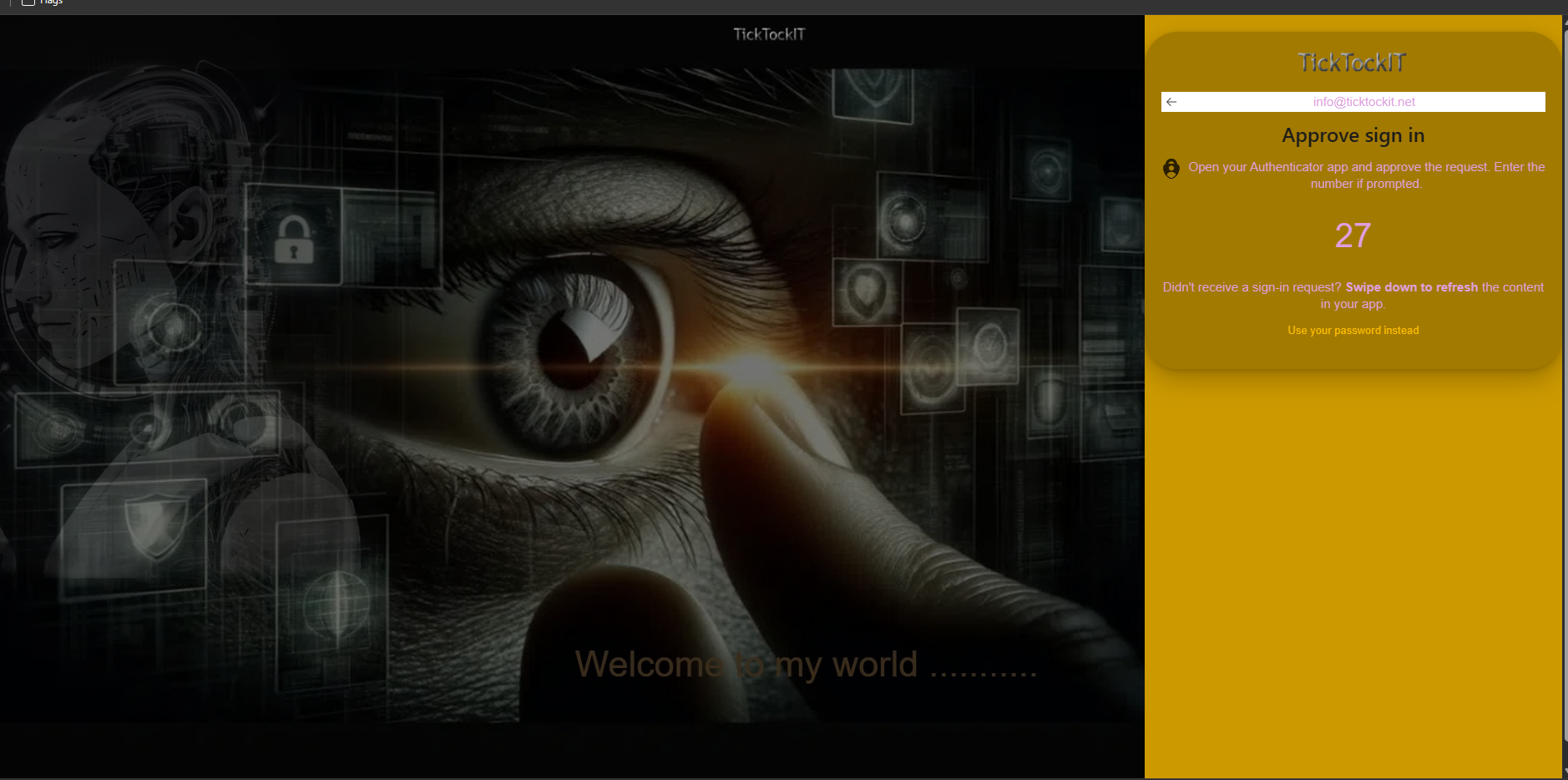
  • Secure sign-in and safe collaboration with both internal and external users

Email, SharePoint & Teams

  • Exchange Online mailboxes, shared mailboxes, calendars, and reliable mail flow
  • SharePoint sites and libraries organised around your teams, with sensible permissions and version control
  • Microsoft Teams structured by project or department, with files and meetings connected properly

SharePoint development, governance and security


Développement, gouvernance et sécurité SharePoint

SharePoint est l'un des composants les plus puissants de l'écosystème Microsoft 365, offrant aux organisations une plateforme sécurisée pour la gestion de documents, la collaboration, le partage des connaissances et l'automatisation des processus métier. Cependant, son efficacité dépend entièrement de la qualité de sa conception, de sa gouvernance et de son administration.

L'un des problèmes les plus courants que je rencontre est celui des environnements SharePoint mal planifiés où les autorisations ont évolué organiquement plutôt que d'être conçues stratégiquement. Les départements créent des sites indépendamment, les utilisateurs accordent des accès sans comprendre les implications de sécurité, et les bibliothèques de documents deviennent de plus en plus difficiles à administrer. Le résultat est souvent l'un des deux scénarios suivants : les utilisateurs ne peuvent pas accéder aux informations dont ils ont besoin pour remplir leur rôle, ou ils obtiennent un accès à des informations qu'ils n'auraient jamais dû pouvoir voir.

Des demandes telles que "J'ai besoin de ce partage de toute urgence" ou "Je ne peux pas travailler car je n'ai pas accès" sont généralement le symptôme d'un environnement SharePoint mal gouverné plutôt que des problèmes de support isolés. Chaque demande d'autorisation doit être évaluée par rapport aux exigences métier, validée par rapport aux politiques de sécurité existantes et entièrement testée avant sa mise en œuvre.

Le développement réussi de SharePoint commence par la compréhension de l'organisation plutôt que de la technologie. L'architecture de l'information doit refléter les fonctions de l'entreprise, les flux de travail opérationnels et les responsabilités organisationnelles. Chaque site, chaque bibliothèque de documents et chaque espace de collaboration doit avoir un objectif clairement défini, un propriétaire métier identifié et un modèle de gouvernance convenu.

Le contrôle d'accès doit toujours suivre les principes de sécurité Zero Trust de Microsoft. Les utilisateurs doivent recevoir les autorisations minimales nécessaires pour remplir leur rôle, l'accès étant accordé via les groupes de sécurité Microsoft Entra ID plutôt que par des affectations d'utilisateurs individuels dans la mesure du possible. Cette approche simplifie l'administration, améliore la cohérence et réduit considérablement les frais de gestion à long terme.

L'héritage des autorisations doit être maintenu dans la mesure du possible. L'utilisation excessive d'autorisations uniques crée des structures de sécurité complexes qui deviennent de plus en plus difficiles à auditer et à prendre en charge. Une hiérarchie bien conçue permet aux autorisations de circuler naturellement à travers les sites et les bibliothèques de documents tout en maintenant la flexibilité lorsque des exigences métier réelles existent.

La collaboration externe nécessite une attention particulière. Les organisations modernes travaillent de plus en plus avec des clients, des fournisseurs, des consultants et des sous-traitants, ce qui rend le partage externe sécurisé essentiel. L'accès invité doit être soigneusement contrôlé via Microsoft Entra ID, les stratégies d'accès conditionnel et les revues d'accès régulières. Les liens de partage anonymes doivent être désactivés, sauf s'il existe une exigence métier clairement définie, soutenue par une gouvernance appropriée.

Modern SharePoint development extends far beyond document storage. It provides the foundation for integrated business solutions through Microsoft Teams, Power Automate, Power Apps, Microsoft Lists and the wider Microsoft 365 platform. These integrations must be designed with security as a primary consideration, ensuring automated processes operate with appropriate permissions and are fully monitored.

Effective information management depends on structure rather than folders alone. Metadata, content types, document versioning, approval workflows and retention policies should be incorporated into the initial solution design. These features improve document discovery, support compliance requirements and reduce administrative effort throughout the lifecycle of the information.

Microsoft Purview should be used to classify and protect sensitive business information through Sensitivity Labels, Data Loss Prevention (DLP) policies, retention schedules and information protection policies. Security should travel with the document regardless of where it is stored or shared, ensuring consistent protection across the Microsoft 365 environment.

Business continuity also depends upon effective governance. Regular permission audits should identify excessive privileges, obsolete accounts, orphaned sites and unnecessary external users. Access should be reviewed periodically by business owners to ensure permissions remain appropriate as staff responsibilities evolve.

Search and knowledge management are equally important. A well-designed SharePoint environment enables employees to locate information quickly through managed metadata, consistent naming conventions and properly configured search indexing. At the same time, SharePoint's security trimming ensures that users only discover content for which they have authorised access.

Development projects should always include comprehensive testing using representative user accounts rather than administrator credentials. Every permission level, workflow, approval process and sharing mechanism should be validated before deployment to ensure the platform behaves exactly as intended under real-world conditions.

Comprehensive documentation should accompany every implementation, including site architecture, permission models, governance policies, naming standards, retention policies and administrative procedures. This ensures future changes can be implemented consistently and reduces dependence upon individual administrators.

User education forms a critical part of any SharePoint deployment. Employees should understand how to share documents correctly, when to use Teams versus SharePoint, how external sharing operates and why security controls exist. Well-informed users are one of the strongest defences against accidental data exposure.

Ultimately, SharePoint should not be viewed simply as a file server in the cloud. It is a strategic business platform that, when properly architected and governed, delivers secure collaboration, controlled information sharing, regulatory compliance and efficient business processes across the entire organisation.

A professionally developed SharePoint environment combines robust governance, secure access management, Microsoft Entra ID integration, Conditional Access, Microsoft Purview compliance, structured information architecture and ongoing administration to create a platform that is both highly productive and highly secure. When these principles are followed, SharePoint becomes a trusted corporate information system rather than simply another location to store documents.

Security & Compliance

  • Security policies configured consistently across all services
  • External sharing controls, so data goes only where it should
  • Clear visibility of permissions and readiness for governance and compliance requirements

Automation & Integration

  • Routine tasks automated, such as approvals, notifications, and document processes
  • Teams, SharePoint, and Outlook working together, not as separate tools
  • Room to build on what you already pay for, rather than replacing it

Documentation & Handover

  • Configuration decisions written down, so future administrators aren't guessing
  • A clear overview of how your environment is set up and why

The result is a stable, secure Microsoft 365 environment that supports teamwork, cuts admin effort, and is straightforward to manage as your business grows.

Hostinger:

Hostinger Hosting: Your Website and Email, Set Up Properly

Hostinger offers good-value hosting, but the setup and day-to-day management make all the difference. We configure your hosting, domains, and email correctly, keep everything secure and backed up, and take care of the maintenance.

Setup & Access

  • Hosting configured for your websites and applications, with settings kept consistent across domains
  • Secure hPanel access with strong passwords and multifactor authentication
  • Admin and standard roles kept separate, so people only see what they need

Websites & WordPress

  • WordPress and website hosting deployed for content management systems, databases, and web apps
  • Staging and migrations handled carefully, so moves and changes don't disrupt a live site
  • Performance and availability monitoring, so you're not the last to find out something's wrong

Domains & Email

  • Domain and DNS records organised properly, including subdomains and redirects
  • Business email set up with reliable delivery and secure access from any device
  • Clean mail routing, with migrations and renewals managed for you

Security & Maintenance

  • SSL, access controls, and secure FTP to protect against common website risks
  • Regular backups with tested restoration, so you can recover quickly
  • Updates for WordPress, plugins, and applications handled in a controlled way

Integration & Documentation

  • Connection to your existing systems and cloud platforms
  • Clear documentation, so anyone taking over knows how it's all set up

The result is fast, secure, dependable hosting that keeps your website and email running smoothly, without you having to think about it.

Google Workspace:

Google Workspace Setup & Configuration: Set Up Once, Working Properly

Google Workspace works best when it's configured around how your team actually works. We set up and secure your environment, connect the tools together, and document everything, so you get the benefit from day one.

Setup & Access

  • Workspace configured for your organisation, with consistent settings across all users
  • User accounts and role-based access, with admin and standard permissions kept separate
  • Secure sign-in and safe collaboration with internal and external users

Email, Drive & Meet

  • Gmail set up with reliable mail routing, shared inboxes, and spam and phishing protection
  • Shared drives organised around your teams, with clear permissions and version control
  • Calendar and Meet configured for smooth remote and hybrid working

Security & Policy

  • Security policies applied consistently across services
  • External sharing controls, so data only goes where it should
  • Device access management and clear visibility of your security settings

Automation & Integration

  • Routine tasks automated, such as approvals, notifications, and document workflows
  • Gmail, Drive, Calendar, and Meet working together, not as separate tools
  • Room to extend what you already have as your needs change

Documentation & Handover

  • Configuration decisions written down, so future administrators aren't guessing
  • A clear overview of how your environment is set up and why

The result is a secure, joined-up Google Workspace environment that supports teamwork, saves admin time, and is easy to manage as you grow.

Containers:

Containers: Build Once, Run Anywhere

We set up and support container environments that make your applications easier to deploy, move, and maintain. Whether you're starting with Docker or running orchestrated services, the aim is the same: consistent behaviour from development through to production.

Setup & Configuration

  • Container environments configured for your applications and workflow
  • Consistent settings across development, testing, and production
  • Clean structure that stays manageable as you grow

Images & Deployment

  • Lean, repeatable images with only what each application needs
  • Version-controlled builds and private registries for your own images
  • Multi-container deployment for web apps, databases, and supporting services
  • Scaling and recovery planned in, not added afterwards

Storage & Networking

  • Persistent storage kept separate from containers, so data survives updates and restarts
  • Backup and recovery built around your databases and application files
  • Reliable networking between services, with routing and load balancing where needed

Security

  • Locked-down images and permissions to reduce common container risks
  • Secrets handled properly, not left in configuration files
  • Activity logging so you can see what's running and spot problems early

Monitoring & Ongoing Support

  • Health monitoring and controlled updates for images and dependencies
  • Integration with your existing systems, databases, and cloud platforms
  • Clear documentation so anyone taking over understands how it all fits together

The result is a container platform that's secure, predictable, and straightforward to run, so your team spends less time firefighting deployments and more time on the work that matters.

AWS:

AWS Development & Configuration: A Cloud Environment Built to Last

AWS can do almost anything, which is exactly why getting the foundations right matters. We plan, build, and secure your cloud environment so it's organised, cost-conscious, and ready to grow.

Architecture & Access

  • Environments planned properly, with development and production kept clearly separate
  • IAM users and roles configured with least privilege and admin permissions kept apart from day-to-day access
  • Secure sign-in and safe collaboration with internal and external users

Hosting & Networking

  • Compute and hosting configured for your applications, with stable, uptime-ready setups
  • Virtual private networks with segmentation, sensible routing, and controlled inbound and outbound traffic
  • Clear visibility of how your resources connect

Storage & Data

  • Cloud storage organised around your data, with room to scale
  • Lifecycle rules so older data is stored sensibly, and shared access stays controlled

Security, Monitoring & Deployment

  • Security policies applied consistently, and monitoring in place so you can see what's happening
  • Controlled deployments, staged where appropriate, to keep disruption low
  • Governance readiness built in, not added later

Integration, Growth & Documentation

  • Connection to your existing systems, including hybrid setups
  • Flexible architecture that can take on new workloads and services without a rebuild
  • Clear documentation, so future administrators aren't guessing

The result is a secure, well-organised AWS platform that performs reliably today and can scale as your business grows.

Application Development:

App Development: Software Built Around How Your Business Works

Off-the-shelf software rarely fits perfectly. We build applications, whether internal tools or customer-facing, that match your processes, connect to your existing systems, and stay maintainable as your needs change.

Planning & Functionality

  • Clear goals and scope agreed up front, with features prioritised by what matters most
  • Custom features built around your real processes, not the limits of generic software
  • User journeys planned before build, so the app does what people actually need

Design & Usability

  • Clear, consistent interfaces that are easy to learn and quick to use
  • Sensible navigation and accessible design across screens and devices
  • Important controls easy to find, without clutter

Integration & Performance

  • Connection to your existing systems, data sources, and cloud services
  • Automated workflows that cut out manual re-entry
  • Responsive, dependable behaviour, including at peak usage

Security & Testing

  • Secure sign-in, input validation, and clear access levels for different users
  • Protection against common vulnerabilities built in from the start
  • Tested across browsers, devices, and real workflows before anything goes live

Launch, Growth & Handover

  • Controlled deployment, staged where appropriate, to keep disruption low
  • Structure built to extend, so adding features later doesn't mean a rebuild
  • Clear documentation, so future changes are simple to make

You get a stable, secure application that fits your business today and can grow with it.

Développement IA :

What Your IT Programming And Development Will Include

Software Project Planning And Structure

  • Structured software planning aligned with organisational needs
  • Reliable development across applications, systems, and digital services
  • Consistent coding standards across development environments
  • Improved readiness for day-to-day business use
  • Support for secure and scalable software development
  • Alignment between software design and operational workflows
  • Reduced complexity across application components
  • Improved stability across connected systems
  • Clear project structure supporting long-term development
  • Confidence in software reliability from the outset

Application Design And Development

  • Structured application development across business systems
  • Purpose-built features aligned with operational responsibilities
  • Controlled access across application environments
  • Improved consistency across software functionality
  • Support for secure user authentication processes
  • Reduced exposure to application security risks
  • Safer interaction with internal and external users
  • Clear separation between administrative and standard user roles
  • Improved control across application environments
  • Stronger protection of organisational resources

Web Programming And Development Support

  • Professional website and web application development
  • Reliable front-end and back-end programming
  • Improved website structure across pages and features
  • Support for interactive forms, portals, and dashboards
  • Safer handling of user-submitted information
  • Improved performance and security readiness
  • Structured database connectivity across applications
  • Consistent functionality across browsers and devices
  • Improved visibility of business processes and information
  • Confidence in web application reliability

Database Design And Data Management

  • Organised database structures aligned with business requirements
  • Improved data access and management
  • Structured systems for storing and retrieving information
  • Clear relationships across connected data
  • Réduction de la duplication des informations stockées
  • Safer data validation and processing
  • Improved visibility of business information
  • Prise en charge des flux de travail structurés de sauvegarde et de récupération
  • Better coordination across applications and departments
  • Stronger accessibility of accurate organisational data

Desktop And Business Application Programming

  • Structured application development for business teams
  • Reliable desktop software and internal tool development
  • Improved efficiency across routine working environments
  • Support for secure application access controls
  • Consistent software behaviour across supported devices
  • Improved visibility of application data and resources
  • Reduced fragmentation between business tools
  • Support for efficient internal operational workflows
  • Better alignment between software and business activity
  • Stronger application consistency across teams

Secure Coding And Testing Support

  • Structured secure coding practices aligned with organisational needs
  • Improved protection of organisational data
  • Safer input validation and application processing
  • Reduced exposure to common programming vulnerabilities
  • Cohérence améliorée des contrôles de sécurité
  • Support for secure authentication and permission management
  • Better readiness for testing and compliance expectations
  • Improved visibility of application errors and behaviour
  • Stronger protection across software environments
  • Confidence in application security and stability

Workflow Automation And Scripting

  • Automation support across routine operational processes
  • Improved coordination between business applications
  • Reduced manual administrative handling
  • Structured handling of approval and processing workflows
  • Improved data lifecycle consistency
  • Faster notification and task processing workflows
  • Support for scalable automation improvements later
  • Productivité améliorée dans tous les départements
  • Meilleure visibilité du flux opérationnel
  • More efficient processing across teams

System And API Integration

  • Improved interaction between applications, databases, and services
  • Structured data exchange across connected systems
  • Réduction de la duplication des efforts entre les plateformes
  • Cohérence améliorée des flux opérationnels
  • Support for coordinated data handling processes
  • Better communication across software environments
  • Stronger alignment between systems and organisational needs
  • Expérience utilisateur améliorée sur les applications connectées
  • Support for extending existing software capabilities
  • Efficacité opérationnelle quotidienne améliorée

Technical Documentation Supporting Ongoing Use

  • Clear visibility of implemented programming decisions
  • Structured understanding of application design
  • Intégration plus facile pour les futurs développeurs et administrateurs
  • Reduced reliance on undocumented code changes later
  • Improved continuity across software updates
  • Support for future development and adjustments
  • Transparent application structure overview
  • Improved maintainability across systems
  • Better long-term software ownership clarity
  • Confiance dans la stabilité future de l'application

Summary

This IT programming and development approach provides structured, secure, and reliable software solutions with purpose-built applications, organised data management, integrated systems, automated workflows, and maintainable code aligned with operational requirements. The result is stable and efficient software that supports business processes, improves productivity, and strengthens day-to-day operations across your organisation.

Microsoft 365 Trial Accounts

Select the Microsoft 365 or Office 365 trial that you would like to explore. Each button opens the official Microsoft registration page.

Trial availability, eligibility and duration are determined by Microsoft. Each registration page opens in a new browser tab.