
My Views on IT

Linux


Mon point de vue sur le support informatique et le développement est comme Linux : simple, direct et « Solutions qui répondent aux besoins » et non « nous pouvons aussi faire ceci juste parce que nous le pouvons », etc.....

Vous n'entendrez pas de phrases comme « Désolé d'apprendre cela », « Désolé que vous rencontriez des problèmes », « Nous serons heureux de vous aider », « Bonne journée » et d'autres phrases insincères de ce genre.

Mon objectif est de comprendre exactement ce dont vous avez besoin et de proposer des solutions qui répondent à ces besoins.

Contactez-nous via les formulaires de ce site ou par téléphone (méthode préférée, car nous pouvons parvenir à une compréhension claire en parlant). Vous parlerez à un HUMAIN, pas à un Bot agaçant qui passe la plupart de son temps à essayer de comprendre ce que vous lui demandez, puis à proposer une solution qui aborde un problème totalement différent.

Quelques mots sur l'IA :
Oui - j'utilise l'IA, mais j'aime à penser que je l'utilise intelligemment - comme un outil, pas comme une « réponse rapide à tout » et un moyen « d'obtenir des informations sans comprendre ni apprendre »
Exemple : Je fais beaucoup de scripts en utilisant CSS, Java, Python, PowerShell et des interactions CLI. Il se peut que j'utilise l'IA (Codex, par exemple) pour générer du code pour moi si je suis occupé par des projets et que j'ai besoin d'une réponse relativement rapide. Je comprends tout code généré par l'IA, et il peut être modifié par moi s'il doit être modifié pour accomplir la tâche à accomplir. En sachant ce qui est nécessaire, je peux poser la question spécifique avec la terminologie et les énoncés corrects. Trop d'utilisateurs utilisent l'IA simplement pour obtenir une réponse à quelque chose dont ils n'ont aucune idée !!! De plus, générer un site web, par exemple, en utilisant uniquement l'IA est fatal car cela placera des scripts partout, et l'édition ultérieure ne sera pas possible en raison d'un manque de compréhension. Comparer un script d'IA peut être comme comparer un script généré dans l'interface de conception web Dreamweaver à un CSS / JavaScript écrit à la main. Le script essaiera de prendre en compte toutes les possibilités de son utilisation et sera donc massivement développé (et lourd).

Doctor Bill

Book a Free Call

Send us a Message

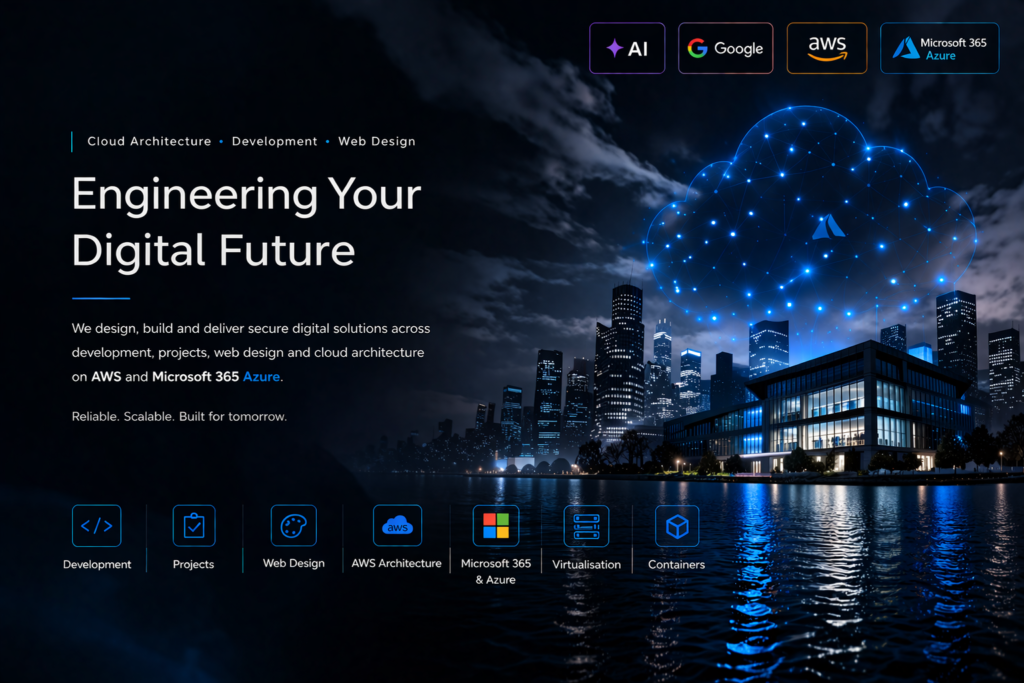
Engineering Your Digital Future: we design, build and deliver secure digital solutions across development, projects, web design and cloud architecture on AWS and Microsoft 365 Azure

Architecture Cloud. Développement. Livré.

Plateformes sécurisées et évolutives conçues pour la croissance

Nous concevons et livrons des plateformes web modernes, une infrastructure cloud et des solutions d'entreprise sur AWS et Microsoft Azure

Nous soutenons les organisations avec une architecture sécurisée et une livraison fiable, du concept à la production

Pourquoi le support informatique ?

Que devrait être le support informatique ?

Support d'entreprise

Petite entreprise

Détails des services

Services professionnels de support informatique géré

Managed IT Support That Keeps You Running

We provide proactive and reactive IT support for small to mid-sized businesses that can't afford downtime. That means monitoring your systems before something breaks, not just fixing it after.

  • Helpdesk support — same-day response for issues that affect your team
  • Proactive monitoring — we catch failing hardware, expiring certificates, and capacity issues before they cause an outage
  • Endpoint management — desktops, laptops, and mobile devices kept patched, protected, and compliant
  • Cybersecurity monitoring — active threat detection, not just antivirus
  • Backup & recovery — tested backups with a defined recovery point, not just "we back things up"
  • Network & server maintenance — kept current, documented, and accountable to you

Gestion stratégique de l'infrastructure d'entreprise

Infrastructure Built to Scale With You

Most infrastructure problems aren't technical — they're a system that was fine for 5 people and is now breaking at 50. We design infrastructure and processes that scale with your headcount instead of needing to be rebuilt every time you grow.

  • Cloud deployment on AWS and Microsoft Azure — architecture sized for where you are and where you're going
  • Automated deployment — consistent, repeatable configuration instead of manual setup that drifts over time
  • Real-time monitoring — visibility into what's actually happening across your environment
  • Compliance-ready environments — built with governance requirements in mind from the start, not bolted on afterward
  • Infrastructure audits — an honest look at where your current setup is exposed or inefficient

Utilisation professionnelle de l'intelligence artificielle dans les services informatiques

Where AI Actually Helps Your Business

We use AI where it removes real work, not as a buzzword. In practice, that looks like:

  • AI-assisted monitoring and diagnostics — anomaly detection that flags problems faster than manual log review
  • Automated ticket routing — support requests reach the right person without manual triage
  • Workflow automation — repetitive admin tasks handled without manual re-entry
  • AI-accelerated development — we use modern AI coding tools to deliver custom development work faster, without cutting corners on review

If you're evaluating AI adoption for your own business, this is exactly the kind of practical, non-hype conversation we have with clients — get in touch.

Contactez-nous
Contact de base
Nom
Type de travail requis :
Projets :
This form is protected by Google reCAPTCHA v3. Privacy Terms
Faire défiler vers le haut

Is IT Support Necessary?

Why Do I Need IT Support?

Reliable Technology For Everyday Work

  • Keep essential computers, devices, and applications working reliably
  • Reduce interruptions caused by avoidable technical problems
  • Resolve faults before they become prolonged business disruptions
  • Maintain consistent access to the tools used every day
  • Improve reliability across office and remote-working environments
  • Support staff when unexpected technology issues arise
  • Reduce time lost trying to diagnose unfamiliar problems
  • Keep routine technical tasks properly managed
  • Improve confidence when using business technology
  • Provide dependable assistance whenever it is needed

Protection Against Security Threats

  • Protect systems against malware, phishing, and unauthorised access
  • Keep security software and protective controls correctly configured
  • Reduce the risk of compromised user accounts
  • Identify suspicious activity before serious damage occurs
  • Améliorer les pratiques relatives aux mots de passe, à l'authentification et au contrôle d'accès
  • Protéger les informations sensibles de l'entreprise et des clients
  • Réduire l'exposition créée par des logiciels et des appareils obsolètes
  • Soutenir le travail sécurisé à domicile et dans d'autres lieux
  • Réagir rapidement lorsqu'un incident de sécurité est suspecté
  • Maintenir une protection plus forte à mesure que les menaces continuent d'évoluer

Réduction des temps d'arrêt et des perturbations

  • Restaurer rapidement l'accès en cas de défaillance des systèmes ou des services
  • Réduire l'impact opérationnel des défauts techniques
  • Identifier les problèmes récurrents et traiter leurs causes sous-jacentes
  • Maintenir la disponibilité d'Internet, de la messagerie, des applications et des ressources partagées
  • Fournir une escalade structurée pour les problèmes plus complexes
  • Éviter les retards causés par un dépannage par essais et erreurs
  • Améliorer les temps de récupération après des pannes imprévues
  • Planifier la maintenance pour minimiser les interruptions du travail normal
  • Suivre les défauts jusqu'à leur résolution appropriée
  • Aider l'entreprise à rester productive pendant les incidents techniques

Données commerciales sûres et récupérables

  • Protéger les fichiers importants avec des arrangements de sauvegarde fiables
  • Vérifier que les sauvegardes se terminent avec succès et restent utilisables
  • Récupérer les informations supprimées, endommagées ou chiffrées lorsque cela est possible
  • Réduire la dépendance à l'égard d'un seul appareil ou emplacement de stockage
  • Appliquer une rétention appropriée aux dossiers commerciaux importants
  • Soutenir les configurations de stockage cloud et locales sécurisées
  • Préparer les procédures de récupération avant qu'une urgence ne survienne
  • Réduire les conséquences d'une défaillance matérielle ou d'une erreur humaine
  • Maintenir l'accès aux données partagées contrôlé et traçable
  • Garantir que les informations essentielles peuvent être restaurées

Systèmes et appareils correctement entretenus

  • Maintenir les systèmes d'exploitation et les applications à jour de manière appropriée
  • Surveiller l'état des appareils et la capacité de stockage disponible
  • Supprimer les logiciels obsolètes et les risques techniques inutiles
  • Entretenir les imprimantes, les périphériques et les équipements connectés
  • Identifier le matériel vieillissant avant qu'il ne cause des perturbations
  • Appliquer des paramètres cohérents sur tous les appareils pris en charge
  • Améliorer les performances grâce à une maintenance régulière
  • Maintenir des informations précises sur la technologie de l'entreprise
  • Planifier les remplacements et les mises à niveau de manière contrôlée
  • Prolonger la durée de vie utile des équipements lorsque cela est possible

Meilleure utilisation des investissements technologiques

  • Garantir que les abonnements et systèmes existants sont utilisés efficacement
  • Éviter les achats inutiles et les services dupliqués
  • Sélectionner une technologie adaptée aux besoins opérationnels réels
  • Configurer les fonctionnalités disponibles pour soutenir le travail quotidien
  • Améliorer la collaboration grâce à des outils correctement gérés
  • Identifier les opportunités de simplifier les processus inefficaces
  • Réduire le gaspillage causé par des produits inadaptés ou mal configurés
  • Fournir des conseils pratiques avant les achats technologiques majeurs
  • Aligner les décisions techniques sur les budgets disponibles
  • Augmenter la valeur obtenue des investissements technologiques actuels

Support pour le personnel et les utilisateurs

  • Donner aux utilisateurs un endroit clair pour signaler les problèmes et demander de l'aide
  • Expliquer les solutions dans un langage compréhensible et pratique
  • Soutenir les nouveaux arrivants avec les comptes, les appareils et l'accès
  • Supprimer rapidement l'accès lorsque le personnel quitte l'entreprise ou change de rôle
  • Aider les utilisateurs à travailler en toute sécurité et efficacité
  • Réduire la frustration causée par des problèmes techniques non résolus
  • Fournir des conseils sur les applications et les procédures quotidiennes
  • Documenter les solutions récurrentes pour un support futur plus rapide
  • Traiter les utilisateurs de manière cohérente tout en reconnaissant leurs besoins différents
  • Améliorer la confiance générale dans la technologie du lieu de travail

Planification de la croissance et du changement

  • Préparer les systèmes pour des utilisateurs, des emplacements et des services supplémentaires
  • Planifier les mises à niveau avant que la technologie existante ne devienne inadaptée
  • Soutenir les déménagements de bureaux, le travail à distance et les changements organisationnels
  • Identifier les dépendances techniques avant le début des projets
  • Maintenir la compatibilité à mesure que les plateformes et les exigences évoluent
  • Fournir des conseils réalistes sur les coûts, les risques et la mise en œuvre
  • Construire des solutions évolutives au lieu de solutions temporaires
  • Coordonner les changements technologiques avec les priorités de l'entreprise
  • Réduire les perturbations lors des migrations et de l'expansion
  • Garder le développement futur pratique et gérable

Conformité et gestion responsable des données

  • Appliquer des contrôles d'accès appropriés aux rôles et responsabilités
  • Soutenir la gestion sécurisée des informations personnelles et confidentielles
  • Conserver des enregistrements des changements techniques importants
  • Réduire le partage non contrôlé des données de l'entreprise
  • Soutenir les exigences de conservation et de suppression le cas échéant
  • Améliorer la visibilité de qui peut accéder aux ressources clés
  • Aider à démontrer des pratiques de sécurité et de maintenance raisonnables
  • Aborder les faiblesses techniques identifiées lors des examens
  • Soutenir des politiques cohérentes entre les systèmes et les utilisateurs
  • Réduire les risques évitables en matière de conformité et de réputation

Coûts prévisibles et conseils professionnels

  • Remplacer les dépenses d'urgence uniquement par des arrangements de soutien planifiés
  • Identifier les priorités avant d'engager les budgets disponibles
  • Fournir des conseils éclairés sans se fier aux conjectures
  • Réduire le coût des pannes répétées et des temps d'arrêt évitables
  • Planifier la maintenance, les renouvellements et les remplacements à l'avance
  • Adapter le niveau de support aux besoins réels de l'entreprise
  • Provide access to broader technical experience when needed
  • Explain risks and options before changes are approved
  • Improve accountability for ongoing technical work
  • Give decision-makers confidence in their technology planning

Summary

Professional IT support keeps technology reliable, secure, recoverable, and aligned with the way you work. It reduces downtime, protects important information, helps users resolve problems quickly, and provides informed guidance for future decisions. The result is less disruption, better use of technology, and greater confidence that essential systems will continue to support day-to-day operations.

IT Support Structure:

What Should IT Support Entail?

Accessible Helpdesk And User Assistance

  • A clear and convenient method for requesting technical help
  • Prompt acknowledgement of reported incidents and service requests
  • Remote assistance for users wherever practical
  • On-site support when physical intervention is required
  • Prioritisation based on urgency and operational impact
  • Clear explanations without unnecessary technical language
  • Ownership of each request through to resolution
  • Regular progress updates for longer-running issues
  • Support for approved devices, systems, and applications
  • Consistent service for every authorised user

Incident Diagnosis And Resolution

  • Structured investigation of faults and unexpected behaviour
  • Identification of the underlying cause where possible
  • Safe testing before disruptive changes are introduced
  • Documented fixes for recurring technical problems
  • Escalation when specialist knowledge or vendor support is required
  • Temporary workarounds when an immediate repair is unavailable
  • Verification that normal service has been restored
  • Monitoring after significant fixes where appropriate
  • Review of repeated incidents to prevent recurrence
  • Accurate closure information for completed support requests

Surveillance et maintenance proactives

  • Surveillance des systèmes critiques, des services et de l'état des appareils
  • Alerte précoce des problèmes de stockage, de performance ou de disponibilité
  • Maintenance de routine planifiée en fonction des exigences opérationnelles
  • Examen des alertes avant qu'elles ne se transforment en incidents graves
  • Suppression des logiciels obsolètes et des services inutiles
  • Vérifications régulières des configurations importantes
  • Optimisation des performances lorsque des avantages mesurables sont disponibles
  • Suivi des garanties, des licences et de l'état des appareils
  • Planification pour les équipements approchant la fin de leur support
  • Rapport des risques nécessitant des décisions commerciales

Gestion de la cybersécurité

  • Antivirus géré, protection des points d'extrémité et surveillance des menaces
  • Configuration sécurisée des comptes et authentification multifacteur
  • Permissions appropriées basées sur les responsabilités de l'utilisateur
  • Protection contre le phishing, les logiciels malveillants et l'accès non autorisé
  • Mises à jour de sécurité appliquées dans des délais appropriés
  • Configuration sécurisée des services de messagerie, cloud et d'accès à distance
  • Examen des activités suspectes et des alertes de sécurité
  • Procédures de réponse aux incidents en cas de compromission potentielle
  • Conseils de sécurité pratiques pour les utilisateurs
  • Amélioration régulière des contrôles à mesure que les risques évoluent

Sauvegarde et reprise après sinistre

  • Sauvegardes couvrant les systèmes essentiels et les informations commerciales
  • Rétention appropriée dans des emplacements de stockage séparés
  • Surveillance automatisée du succès et de l'échec des sauvegardes
  • Tests de restauration réguliers plutôt que de supposer que les sauvegardes fonctionnent
  • Priorités de récupération documentées pour les services critiques
  • Protection contre la suppression accidentelle et les ransomwares
  • Attentes définies en matière de temps de récupération et de perte de données
  • Secure handling of backup credentials and encryption
  • Contingency planning for major equipment or site failure
  • Periodic review as systems and data volumes change

Updates Patch Management And Configuration

  • Controlled deployment of operating-system and application updates
  • Testing or staged release of higher-risk changes
  • Prompt action on critical security vulnerabilities
  • Maintenance of standard device and application configurations
  • Tracking of unsuccessful or incomplete updates
  • Protection against unsupported software versions
  • Change records for significant configuration adjustments
  • Rollback planning where updates could disrupt operations
  • Coordination with users before planned interruptions
  • Regular review of update policies and maintenance schedules

Account Access And Device Administration

  • Secure creation and configuration of user accounts
  • Prompt changes when roles or responsibilities alter
  • Controlled onboarding and offboarding procedures
  • Management of computers, mobiles, printers, and peripherals
  • Application installation based on approval and licensing
  • Access limited according to genuine business need
  • Inventory records for supported equipment
  • Encryption and security controls on portable devices
  • Recovery or secure removal of retired equipment
  • Consistent administration across office and remote users

Documentation And Asset Records

  • Current records of devices, systems, licences, and services
  • Secure documentation of important configurations
  • Network and service information available during incidents
  • Support procedures for common and critical tasks
  • Change history for major technical decisions
  • Supplier, warranty, and renewal information
  • Recovery instructions kept accessible and protected
  • Knowledge articles for recurring user questions
  • Clear ownership of systems and administrative responsibilities
  • Regular updates when the environment changes

Service Reporting And Communication

  • Regular reporting on incidents, requests, and recurring issues
  • Visibility of response and resolution performance
  • Explanation of significant risks and recommended actions
  • Planned communication before maintenance or service changes
  • Review meetings appropriate to the size of the organisation
  • Transparent information about outstanding work
  • Clear distinction between urgent fixes and future improvements
  • Budget guidance for renewals and planned projects
  • Evidence of completed maintenance and security activity
  • Communication focused on business impact and priorities

Strategic Advice And Continuous Improvement

  • Regular review of whether technology still meets requirements
  • Practical recommendations based on cost, benefit, and risk
  • Planning for growth, replacement, and service changes
  • Identification of inefficient or duplicated solutions
  • Guidance before contracts and subscriptions are renewed
  • Support for cloud, collaboration, and automation improvements
  • Evaluation of new technology without unnecessary adoption
  • Roadmaps that separate immediate needs from longer-term goals
  • Review of lessons following major incidents or projects
  • Continuous improvement of reliability, security, and usability

Summary

Effective IT support should combine responsive user assistance with proactive maintenance, cybersecurity, backups, controlled updates, account administration, documentation, and strategic guidance. It should provide clear ownership, measurable service, and practical communication—not merely react when something breaks. A complete support service protects daily operations while steadily improving reliability and reducing future risk.

IT Support Structure:

Company IT Support

Planification du support axée sur les affaires

  • Accords de support alignés sur les priorités opérationnelles
  • Identification claire des systèmes et services critiques
  • Responsabilités définies entre les équipes internes et les fournisseurs
  • Niveaux de service adaptés à l'impact commercial
  • Couverture de support adaptée aux heures de travail et aux lieux
  • Priorisation des risques affectant la productivité et la continuité
  • Planification structurée de la maintenance et de l'amélioration
  • Visibilité budgétaire pour les services en cours et les projets futurs
  • Révision régulière à mesure que les exigences de l'entreprise changent
  • Une feuille de route technologique pratique soutenant les objectifs commerciaux

Helpdesk et assistance technique pour le personnel

  • Support centralisé pour les employés et les sous-traitants autorisés
  • Diagnostic et résolution à distance des problèmes techniques courants
  • Assistance sur site pour les problèmes d'équipement et d'infrastructure
  • Gestion cohérente des demandes entre les départements et les lieux
  • Réponse prioritaire aux incidents affectant plusieurs utilisateurs
  • Support pour les applications et appareils professionnels approuvés
  • Mises à jour claires tout au long des cas plus longs
  • Escalade vers les fournisseurs ou les spécialistes si nécessaire
  • Ressources de connaissances pour les questions courantes des utilisateurs
  • Enregistrements de service soutenant la responsabilité et l'amélioration

Gestion du cloud et de la collaboration Microsoft 365

  • Administration des utilisateurs, licences, groupes et ressources partagées
  • Configuration sécurisée des services de messagerie et de collaboration
  • Accès géré au contenu SharePoint, Teams et OneDrive
  • Protection contre le partage externe non contrôlé
  • Support pour les calendriers, les boîtes aux lettres et l'accès mobile
  • Permissions cohérentes basées sur les rôles et les responsabilités
  • Contrôles de rétention et de récupération adaptés aux besoins de l'entreprise
  • Surveillance de l'état des services et des changements importants
  • Conseils sur l'utilisation efficace des fonctionnalités cloud disponibles
  • Gouvernance structurée des espaces de travail collaboratifs

Cybersécurité d'entreprise et protection de l'identité

  • Authentification multifacteur et contrôles de connexion sécurisés
  • Protection des points de terminaison sur les ordinateurs et mobiles de l'entreprise
  • Accès basé sur les rôles aux applications et aux informations
  • Surveillance et réponse aux événements de sécurité suspects
  • Protection de la messagerie contre le phishing et le contenu malveillant
  • Chiffrement pour les appareils pris en charge et les informations sensibles
  • Accès à distance sécurisé pour les employés et les fournisseurs
  • Examen régulier des comptes privilégiés et inactifs
  • Conseils de sensibilisation à la sécurité pour le personnel
  • Procédures d'intervention soutenant un confinement et une récupération rapides

Appareils, réseaux et infrastructure gérés

  • Configuration standard des ordinateurs et appareils appartenant à l'entreprise
  • Surveillance des serveurs, réseaux, liaisons Internet et stockage
  • Gestion de l'accès sans fil et de la segmentation du réseau
  • Déploiement et configuration de logiciels contrôlés
  • Maintenance de routine des imprimantes et des équipements connectés
  • Inventaire matériel, garanties et enregistrements du cycle de vie
  • Planification de la capacité pour les équipes et les charges de travail croissantes
  • Configuration sécurisée des bureaux et des sites distants
  • Identification précoce des risques de performance et de fiabilité
  • Remplacement planifié des équipements obsolètes ou non pris en charge

Sauvegarde de données, continuité des activités et récupération

  • Sauvegardes protégées des informations critiques de l'entreprise
  • Planification de la récupération basée sur les priorités opérationnelles
  • Surveillance et test des processus de sauvegarde et de restauration
  • Protection distincte contre la suppression, la défaillance et les ransomwares
  • Documented procedures for significant technology outages
  • Recovery options for cloud and locally hosted systems
  • Defined expectations for acceptable downtime and data loss
  • Continuity arrangements for remote or alternative working
  • Periodic exercises to validate recovery readiness
  • Regular updates as systems and company dependencies change

Employee Joiner Mover And Leaver Management

  • Timely account and device preparation for new employees
  • Access assigned according to approved job responsibilities
  • Structured changes when staff move between roles
  • Prompt revocation of access when employment ends
  • Secure recovery of company devices and information
  • Consistent licensing and application assignment
  • Management approval for sensitive or privileged access
  • Records supporting audit and accountability
  • Reduced risk from abandoned or excessive permissions
  • Coordination with managers and human-resources processes

Vendor Licensing And Technology Procurement

  • Review of supplier proposals and technical suitability
  • Tracking of subscriptions, renewals, and licence allocation
  • Reduction of duplicated or unused technology expenditure
  • Standard purchasing appropriate to company requirements
  • Warranty and support coordination with manufacturers
  • Evaluation of compatibility before new products are adopted
  • Advice on contracts, service limitations, and dependencies
  • Secure introduction of third-party applications and services
  • Cost planning across the equipment lifecycle
  • Clear ownership of supplier relationships and escalation

Compliance Governance And Documentation

  • Policies supporting secure and responsible technology use
  • Configurations documentées et procédures administratives
  • Accès contrôlé aux informations personnelles et confidentielles
  • Conservation et suppression conformes aux obligations de l'entreprise
  • Preuve des activités de maintenance, de sécurité et de récupération
  • Enregistrements des modifications pour les systèmes et services importants
  • Support pour les examens internes et les évaluations externes
  • Propriété claire des risques techniques et informationnels
  • Normes cohérentes entre les départements et les sites
  • Meilleure préparation aux exigences des clients et réglementaires

Croissance des projets et amélioration numérique

  • Planification technique pour l'expansion, le déménagement et la restructuration
  • Support pour les migrations, les mises à niveau et les déploiements de nouveaux services
  • Intégration des systèmes entre les départements et les flux de travail
  • Automatisation des processus métier répétitifs appropriés
  • Solutions évolutives prenant en charge des utilisateurs et des sites supplémentaires
  • Évaluation des risques et des dépendances avant la mise en œuvre
  • Tests et communication tout au long des changements importants
  • Formation et transfert pour la nouvelle technologie introduite
  • Examen post-projet et résolution des problèmes en suspens
  • Amélioration à long terme alignée sur la stratégie de l'entreprise

Summary

Le support informatique de l'entreprise assure une gestion structurée des utilisateurs, des appareils, des services cloud, des réseaux, de la cybersécurité, des sauvegardes, des fournisseurs et des projets technologiques. Il offre aux employés une assistance fiable tout en protégeant les systèmes et les informations sur lesquels l'organisation s'appuie. Un support efficace combine la prestation de services quotidienne avec la gouvernance, la planification du cycle de vie et l'amélioration continue dans toute l'entreprise.

IT Support Structure:

Support informatique pour les petites entreprises et les particuliers

Aide amicale quand vous en avez besoin

  • Support simple pour les ordinateurs, les appareils et les logiciels
  • Assistance à distance pour les problèmes qui peuvent être résolus rapidement
  • Aide sur site lorsque l'équipement nécessite une attention directe
  • Explications claires sans langage technique déroutant
  • Support adapté à votre expérience et à vos besoins
  • Solutions pratiques plutôt que complexité inutile
  • Aide pour les pannes urgentes et les questions quotidiennes
  • Conseils honnêtes sur les options disponibles et les coûts probables
  • Contact régulier avec une personne qui comprend votre configuration
  • Confiance dans le fait que de l'aide est disponible lorsque la technologie pose problème

Garantir la sécurité de vos données

  • Sauvegardes pour les documents importants, les photographies et les archives
  • Protection contre la suppression accidentelle et la défaillance de l'appareil
  • Stockage cloud sécurisé configuré pour un accès approprié
  • Aide à la récupération de fichiers en cas de problème
  • Vérifications pour confirmer que les sauvegardes s'effectuent réellement
  • Protection contre les ransomwares et les logiciels malveillants
  • Transfert sécurisé des informations vers des appareils de remplacement
  • Conseils sur la conservation des informations pendant la durée appropriée
  • Dépendance réduite à l'égard d'un seul ordinateur ou appareil de stockage
  • Plus grande confiance dans la récupération des informations précieuses

Sécurité, confidentialité et protection des comptes

  • Mots de passe sécurisés et authentification multifacteur
  • Protection des comptes de messagerie, bancaires, d'achats et professionnels
  • Suppression des logiciels malveillants et enquête sur les comportements suspects
  • Réseaux sans fil et accès Internet plus sûrs
  • Paramètres de confidentialité adaptés à vos besoins
  • Protection contre le phishing, les escroqueries et les messages frauduleux
  • Configuration sécurisée des ordinateurs, tablettes et téléphones
  • Examen des options de récupération de compte et de contact d'urgence
  • Aide rapide suite à une suspicion de compromission de compte
  • Conseils pratiques pour rester en sécurité en ligne

Support abordable et prévisible

  • Support flexible adapté à l'ampleur de vos besoins
  • Tarifs clairs avant d'entreprendre des travaux importants
  • Priorisation des corrections essentielles dans les budgets disponibles
  • Options d'aide ponctuelle ou de support continu
  • Avoidance of products and services you do not need
  • Advice on whether equipment should be repaired or replaced
  • Reduced costs from recurring and preventable problems
  • Planning for subscriptions, renewals, and upgrades
  • Solutions designed to provide lasting value
  • No unnecessary enterprise complexity for smaller environments

Making Technology Easier To Use

  • Setup of new computers, phones, printers, and accessories
  • Configuration of email, applications, and online services
  • Transfer of files and settings from older devices
  • Improved organisation of documents and shared information
  • Removal of unwanted software and distracting notifications
  • Clear shortcuts and workflows for frequent tasks
  • Accessibility adjustments where they improve usability
  • Help connecting devices and services together
  • Personal guidance at a comfortable pace
  • A simpler setup that works the way you need it to

Reliable Home And Small Office Connectivity

  • Diagnosis of slow or unreliable internet connections
  • Improved wireless coverage across homes and small offices
  • Secure router and network configuration
  • Connection of printers, storage, televisions, and smart devices
  • Guest access separated where appropriate
  • Help selecting suitable broadband and networking equipment
  • Resolution of repeated connection and drop-out problems
  • Support for working securely from home
  • Practical improvements without unnecessary replacement
  • More dependable access for work, communication, and entertainment

Productivity And Everyday Business Tools

  • Support for Microsoft 365, email, calendars, and documents
  • File sharing appropriate to small teams and clients
  • Setup of video meetings and remote collaboration
  • Simple methods for organising contacts and business information
  • Automation of suitable repetitive administrative tasks
  • Help choosing applications that fit the way you work
  • Resolution of synchronisation and account-access problems
  • Consistent access across computers, tablets, and phones
  • Training for important features and working practices
  • Less time fighting technology and more time completing real work

Personalised Support You Can Trust

  • Support based on your actual needs rather than a generic package
  • Time taken to understand how you use your technology
  • Respectful handling of personal and confidential information
  • Recommendations explained before changes are made
  • No pressure to replace equipment without a sound reason
  • Continuity from someone familiar with your systems
  • Patient assistance for users with different confidence levels
  • Clear boundaries about what can and cannot be achieved
  • Careful testing before work is considered complete
  • A dependable relationship built through practical results

Technology That Supports Future Needs

  • Advice before purchasing computers and other equipment
  • Planning for expansion without unnecessary complexity
  • Systems that can accommodate additional users when needed
  • Safe upgrades from ageing or unsupported technology
  • Preparation for new working arrangements and locations
  • Compatibility checks before money is committed
  • Simple documentation for important accounts and services
  • Gradual improvements based on priority and budget
  • Reduced risk of being locked into unsuitable solutions
  • Technology choices that remain useful as requirements change

Support That Feels Personal

  • Prompt attention when technology is preventing you from working
  • Communication through channels that suit your circumstances
  • Appointments arranged around reasonable availability
  • Progress updates when a problem cannot be fixed immediately
  • Follow-up after important repairs or changes
  • Help coordinating with broadband providers and other suppliers
  • A clear record of completed work and recommendations
  • Practical prevention of problems already experienced
  • Support for both immediate needs and longer-term improvements
  • Reassurance that you are not facing technical problems alone

Summary

IT support for small businesses and individuals should be approachable, affordable, secure, and tailored to real needs. It covers everyday troubleshooting, data protection, account security, connectivity, new-device setup, productivity tools, and sensible future planning. The aim is simple: dependable technology, fewer interruptions, and trusted help whenever it is needed.

Project Design:

Project Development: Planned, Built, and Handed Over Properly

Whether it's a new website, an application, or a custom integration, we run projects so you know what's being built, when it's due, and what you'll have at the end. No surprises, and no guesswork left behind for whoever maintains it next.

Planning & Scope

  • Clear goals and scope agreed before any work starts
  • A practical roadmap with milestones, so you can see progress at each stage
  • Prioritised features, so the important things are built first

Build Quality

  • Clean, well-structured code that's easy to maintain and extend
  • Fast, responsive pages that work properly on any device or browser
  • Sound foundations for search visibility and future growth

Integration

  • Connection to your existing tools and platforms, where needed
  • Automated workflows that cut out manual re-entry and reduce errors

Security & Testing

  • Security built in: protection against common vulnerabilities, careful permissions, and safe handling of client data
  • Tested across browsers, devices, and screen sizes before anything goes live
  • Accessibility checks as part of sign-off

Launch & Handover

  • A controlled go-live, staged where it makes sense, to keep disruption low
  • Documentation covering how it works and why decisions were made
  • Room to grow, so adding features later doesn't mean starting again

You get a stable, secure solution delivered on a clear plan, one that fits how your business works today and can adapt as it changes.

Conception Web :

Web Design Mobile Devices:

Mobile Optimisation: A Website That Works Properly on Any Phone

More and more of your visitors will find you on a phone. We make sure your site looks right, loads quickly, and is easy to use on small screens, so nobody gives up before they've had a chance to get in touch.

Layout & Readability

  • Responsive layouts that adapt cleanly to phones and tablets, in portrait and landscape
  • Comfortable text with sensible sizing, spacing, and contrast for small screens
  • Consistent design so your brand looks the same on mobile as on desktop

Touch & Navigation

  • Finger-sized buttons with enough spacing to avoid accidental taps
  • Simple mobile menus that keep your services and contact page easy to reach
  • Forms that are easy to complete on a phone, with fields sized for touch input

Speed on Mobile Connections

  • Images sized and compressed for smaller screens
  • Lighter pages that load quickly, even on a weak signal
  • Smooth scrolling and interaction, without lag or layout jumps

Testing & Accessibility

  • Checked on real devices and browsers, not just resized on a desktop
  • Accessible by design: readable contrast, touch-friendly controls, and compatibility with assistive tools
  • Issues caught before launch, so visitors don't find them first

The result is a site that's quick, clear, and easy to use on any device, and makes it simple for people to read, get around, and contact you wherever they are.

Programmation :

Programming: Custom Features That Fit How You Work

Sometimes an off-the-shelf plugin doesn't quite do the job. We write custom code to fit your workflows, keep it clean enough for others to maintain, and build it securely from the start.

Custom Functionality

  • Features built around your requirements and how your users actually behave
  • Less reliance on third-party plugins, which means fewer conflicts and updates to worry about
  • Compatibility with your existing systems where needed

Code Quality & Performance

  • Clean, readable code that's easy to update, debug, and hand over
  • Efficient scripts that keep pages fast, even under load
  • Consistent behaviour across browsers, tablets, and phones

Security

  • Input validation and safe handling of sensitive data
  • Protection against common vulnerabilities, including forms and authentication
  • Components kept properly separated, so one problem doesn't affect the rest

Integration

  • Connection to external services and APIs such as CRM and analytics tools
  • Automated data exchange that reduces manual work
  • Stable, reliable synchronisation between your systems

Testing, Documentation & Growth

  • Tested before release across environments and devices, not after
  • Documented clearly, so future changes don't mean starting from scratch
  • Built to extend, so new features can be added without a rebuild

You get reliable, secure custom functionality on a solid technical foundation, ready to grow as your requirements change.

Mobile Devices:

Mobile IT Services: Phones and Tablets Working as They Should

Business phones and tablets are only useful if they're set up properly, secure, and supported when something goes wrong. We set up, secure, and look after your Android and Apple devices so your team can work reliably from anywhere.

Device Setup & Access

  • Phones and tablets set up for business use, whether they're new, replacements, or existing devices
  • Secure sign-in with strong passwords, biometrics, and multifactor authentication
  • Consistent configuration across every device, so nothing is a one-off

Email & Applications

  • Business email, calendars, and contacts configured and synchronised on every device
  • The right apps installed, with sensible permissions and easy access to shared files
  • Help when it goes wrong: sync problems, app issues, and account access, fixed quickly

Connectivity & Data

  • Wi-Fi, mobile data, Bluetooth, and hotspot set up and working
  • VPN and remote access for secure working outside the office
  • Backup and transfer, so upgrading or replacing a device doesn't mean losing data

Security & Maintenance

  • Encryption, screen locks, and access controls to protect business data
  • Lost or stolen device plan, so you can lock or wipe a device quickly
  • Regular updates for operating systems and apps, handled in a controlled way

Integration & Documentation

  • Connection to your existing systems, such as email, cloud storage, and collaboration tools
  • Clear documentation, so new starters and replacements are simple to set up

The result is a secure, dependable mobile setup that keeps your team connected and productive, and your business information protected.

Microsoft 365 Azure:

Microsoft 365 & Azure Development: Making the Microsoft Cloud Work for You

Most businesses already pay for Microsoft 365 but use only a fraction of it. We connect and extend what you have, automating routine work, building custom apps on Azure, and keeping identity, access, and data secure.

Security & Access

  • Identity and access management through Microsoft Entra ID, with permissions matched to each role
  • Secure remote and external collaboration, so the right people get the right access
  • Governance and compliance readiness built in from the start

Workflow Automation & Power Platform

  • Power Automate workflows for approvals, notifications, and repetitive admin tasks
  • Custom Power Apps built around how your teams actually work
  • Less manual processing, with clearer visibility of where each task stands

SharePoint & Collaboration

  • Well-organised document libraries with sensible structure and permissions
  • Teams, Outlook, and SharePoint connected to your day-to-day processes
  • Version control and easy search, so people find the right file first time

Azure Applications & Hosting

  • Custom cloud applications built and hosted on Azure
  • Controlled deployment, staged where appropriate, with monitoring in place
  • Less infrastructure to look after than traditional on-site hosting

Built to Grow

  • Flexible architecture that can take on new services and users without a rebuild
  • Clear upgrade paths, so today's investment keeps paying off

The result is a secure, joined-up Microsoft environment that improves collaboration, reduces manual work, and scales as your business does.

Microsoft 365 :

Microsoft 365 Setup & Configuration: Set Up Properly From Day One

A Microsoft 365 tenant that's set up well saves time every day. A badly configured one causes problems for years. We configure your environment around how your business works, securing it properly and documenting what we've done.

Setup & Access

  • Tenant configuration matched to your organisation and workflows
  • User accounts and role-based access, with admin and standard access kept separate
  • Secure sign-in and safe collaboration with both internal and external users

Email, SharePoint & Teams

  • Exchange Online mailboxes, shared mailboxes, calendars, and reliable mail flow
  • SharePoint sites and libraries organised around your teams, with sensible permissions and version control
  • Microsoft Teams structured by project or department, with files and meetings connected properly

SharePoint development, governance and security


Développement, gouvernance et sécurité SharePoint

SharePoint est l'un des composants les plus puissants de l'écosystème Microsoft 365, offrant aux organisations une plateforme sécurisée pour la gestion de documents, la collaboration, le partage des connaissances et l'automatisation des processus métier. Cependant, son efficacité dépend entièrement de la qualité de sa conception, de sa gouvernance et de son administration.

L'un des problèmes les plus courants que je rencontre est celui des environnements SharePoint mal planifiés où les autorisations ont évolué organiquement plutôt que d'être conçues stratégiquement. Les départements créent des sites indépendamment, les utilisateurs accordent des accès sans comprendre les implications de sécurité, et les bibliothèques de documents deviennent de plus en plus difficiles à administrer. Le résultat est souvent l'un des deux scénarios suivants : les utilisateurs ne peuvent pas accéder aux informations dont ils ont besoin pour remplir leur rôle, ou ils obtiennent un accès à des informations qu'ils n'auraient jamais dû pouvoir voir.

Des demandes telles que "J'ai besoin de ce partage de toute urgence" ou "Je ne peux pas travailler car je n'ai pas accès" sont généralement le symptôme d'un environnement SharePoint mal gouverné plutôt que des problèmes de support isolés. Chaque demande d'autorisation doit être évaluée par rapport aux exigences métier, validée par rapport aux politiques de sécurité existantes et entièrement testée avant sa mise en œuvre.

Le développement réussi de SharePoint commence par la compréhension de l'organisation plutôt que de la technologie. L'architecture de l'information doit refléter les fonctions de l'entreprise, les flux de travail opérationnels et les responsabilités organisationnelles. Chaque site, chaque bibliothèque de documents et chaque espace de collaboration doit avoir un objectif clairement défini, un propriétaire métier identifié et un modèle de gouvernance convenu.

Le contrôle d'accès doit toujours suivre les principes de sécurité Zero Trust de Microsoft. Les utilisateurs doivent recevoir les autorisations minimales nécessaires pour remplir leur rôle, l'accès étant accordé via les groupes de sécurité Microsoft Entra ID plutôt que par des affectations d'utilisateurs individuels dans la mesure du possible. Cette approche simplifie l'administration, améliore la cohérence et réduit considérablement les frais de gestion à long terme.

L'héritage des autorisations doit être maintenu dans la mesure du possible. L'utilisation excessive d'autorisations uniques crée des structures de sécurité complexes qui deviennent de plus en plus difficiles à auditer et à prendre en charge. Une hiérarchie bien conçue permet aux autorisations de circuler naturellement à travers les sites et les bibliothèques de documents tout en maintenant la flexibilité lorsque des exigences métier réelles existent.

La collaboration externe nécessite une attention particulière. Les organisations modernes travaillent de plus en plus avec des clients, des fournisseurs, des consultants et des sous-traitants, ce qui rend le partage externe sécurisé essentiel. L'accès invité doit être soigneusement contrôlé via Microsoft Entra ID, les stratégies d'accès conditionnel et les revues d'accès régulières. Les liens de partage anonymes doivent être désactivés, sauf s'il existe une exigence métier clairement définie, soutenue par une gouvernance appropriée.

Modern SharePoint development extends far beyond document storage. It provides the foundation for integrated business solutions through Microsoft Teams, Power Automate, Power Apps, Microsoft Lists and the wider Microsoft 365 platform. These integrations must be designed with security as a primary consideration, ensuring automated processes operate with appropriate permissions and are fully monitored.

Effective information management depends on structure rather than folders alone. Metadata, content types, document versioning, approval workflows and retention policies should be incorporated into the initial solution design. These features improve document discovery, support compliance requirements and reduce administrative effort throughout the lifecycle of the information.

Microsoft Purview should be used to classify and protect sensitive business information through Sensitivity Labels, Data Loss Prevention (DLP) policies, retention schedules and information protection policies. Security should travel with the document regardless of where it is stored or shared, ensuring consistent protection across the Microsoft 365 environment.

Business continuity also depends upon effective governance. Regular permission audits should identify excessive privileges, obsolete accounts, orphaned sites and unnecessary external users. Access should be reviewed periodically by business owners to ensure permissions remain appropriate as staff responsibilities evolve.

Search and knowledge management are equally important. A well-designed SharePoint environment enables employees to locate information quickly through managed metadata, consistent naming conventions and properly configured search indexing. At the same time, SharePoint's security trimming ensures that users only discover content for which they have authorised access.

Development projects should always include comprehensive testing using representative user accounts rather than administrator credentials. Every permission level, workflow, approval process and sharing mechanism should be validated before deployment to ensure the platform behaves exactly as intended under real-world conditions.

Comprehensive documentation should accompany every implementation, including site architecture, permission models, governance policies, naming standards, retention policies and administrative procedures. This ensures future changes can be implemented consistently and reduces dependence upon individual administrators.

User education forms a critical part of any SharePoint deployment. Employees should understand how to share documents correctly, when to use Teams versus SharePoint, how external sharing operates and why security controls exist. Well-informed users are one of the strongest defences against accidental data exposure.

Ultimately, SharePoint should not be viewed simply as a file server in the cloud. It is a strategic business platform that, when properly architected and governed, delivers secure collaboration, controlled information sharing, regulatory compliance and efficient business processes across the entire organisation.

A professionally developed SharePoint environment combines robust governance, secure access management, Microsoft Entra ID integration, Conditional Access, Microsoft Purview compliance, structured information architecture and ongoing administration to create a platform that is both highly productive and highly secure. When these principles are followed, SharePoint becomes a trusted corporate information system rather than simply another location to store documents.

Security & Compliance

  • Security policies configured consistently across all services
  • External sharing controls, so data goes only where it should
  • Clear visibility of permissions and readiness for governance and compliance requirements

Automation & Integration

  • Routine tasks automated, such as approvals, notifications, and document processes
  • Teams, SharePoint, and Outlook working together, not as separate tools
  • Room to build on what you already pay for, rather than replacing it

Documentation & Handover

  • Configuration decisions written down, so future administrators aren't guessing
  • A clear overview of how your environment is set up and why

The result is a stable, secure Microsoft 365 environment that supports teamwork, cuts admin effort, and is straightforward to manage as your business grows.

Linode:

Linode Cloud Hosting: Reliable Servers, Set Up and Looked After

Linode gives you flexible, good-value cloud servers, but they're only as good as their setup. We deploy, secure, and maintain your Linux servers so your websites and applications stay fast, available, and protected.

Server Setup & Access

  • Linode servers deployed and configured on the Linux distribution that suits your needs
  • Secure administrative access using SSH keys, with admin and standard user roles kept separate
  • Consistent configuration across every server, so nothing is a one-off

Hosting & Applications

  • Web servers, databases, and applications deployed for websites, content management systems, and custom software
  • Domains and DNS configured properly, so everything resolves and stays available
  • Performance and availability monitoring so problems are spotted early

Storage & Networking

  • Block and object storage set up and sized for your data
  • Backup and recovery planned around your applications and databases
  • Public and private networking, with VPN and secure remote access where needed

Security & Maintenance

  • Firewalls, SSH hardening, and access controls to reduce common cloud risks
  • Encryption and activity logging, with a plan for responding to incidents
  • Regular updates for the operating system and applications, handled in a controlled way

Integration & Documentation

  • Connection to your existing systems, applications, and cloud platforms
  • Clear documentation, so anyone taking over knows how it's all set up

The result is a secure, dependable cloud server environment that's easy to scale, straightforward to manage, and built around what your business actually needs.

Hostinger:

Hostinger Hosting: Your Website and Email, Set Up Properly

Hostinger offers good-value hosting, but the setup and day-to-day management make all the difference. We configure your hosting, domains, and email correctly, keep everything secure and backed up, and take care of the maintenance.

Setup & Access

  • Hosting configured for your websites and applications, with settings kept consistent across domains
  • Secure hPanel access with strong passwords and multifactor authentication
  • Admin and standard roles kept separate, so people only see what they need

Websites & WordPress

  • WordPress and website hosting deployed for content management systems, databases, and web apps
  • Staging and migrations handled carefully, so moves and changes don't disrupt a live site
  • Performance and availability monitoring, so you're not the last to find out something's wrong

Domains & Email

  • Domain and DNS records organised properly, including subdomains and redirects
  • Business email set up with reliable delivery and secure access from any device
  • Clean mail routing, with migrations and renewals managed for you

Security & Maintenance

  • SSL, access controls, and secure FTP to protect against common website risks
  • Regular backups with tested restoration, so you can recover quickly
  • Updates for WordPress, plugins, and applications handled in a controlled way

Integration & Documentation

  • Connection to your existing systems and cloud platforms
  • Clear documentation, so anyone taking over knows how it's all set up

The result is fast, secure, dependable hosting that keeps your website and email running smoothly, without you having to think about it.

Google Workspace:

Google Workspace Setup & Configuration: Set Up Once, Working Properly

Google Workspace works best when it's configured around how your team actually works. We set up and secure your environment, connect the tools together, and document everything, so you get the benefit from day one.

Setup & Access

  • Workspace configured for your organisation, with consistent settings across all users
  • User accounts and role-based access, with admin and standard permissions kept separate
  • Secure sign-in and safe collaboration with internal and external users

Email, Drive & Meet

  • Gmail set up with reliable mail routing, shared inboxes, and spam and phishing protection
  • Shared drives organised around your teams, with clear permissions and version control
  • Calendar and Meet configured for smooth remote and hybrid working

Security & Policy

  • Security policies applied consistently across services
  • External sharing controls, so data only goes where it should
  • Device access management and clear visibility of your security settings

Automation & Integration

  • Routine tasks automated, such as approvals, notifications, and document workflows
  • Gmail, Drive, Calendar, and Meet working together, not as separate tools
  • Room to extend what you already have as your needs change

Documentation & Handover

  • Configuration decisions written down, so future administrators aren't guessing
  • A clear overview of how your environment is set up and why

The result is a secure, joined-up Google Workspace environment that supports teamwork, saves admin time, and is easy to manage as you grow.

Docker:

Docker: Applications That Deploy the Same Way Every Time

Docker removes the "it works on my machine" problem. We build, configure, and support Docker environments so your applications run consistently from development through to production, and are simple to update, move, and recover.

Setup & Images

  • Docker environments configured for development, testing, and production, with consistent settings across each
  • Lean, repeatable images built from clean Dockerfiles, with only the packages each application needs
  • Versioned builds and private registries, with development and production kept separate

Compose & Deployment

  • Docker Compose configurations for multi-container apps, including web services, databases, and supporting tools
  • Environment variables and settings handled safely, not hard-coded
  • Repeatable deployments with recovery planned in from the start

Volumes & Networking

  • Volumes for persistent data, so databases and files survive updates and restarts
  • Backup and recovery built around your volumes
  • Networking and reverse proxy setup with clear ports, routing, and secure internal and external access

Security & Maintenance

  • Hardened images and permissions to reduce common container risks
  • Secrets managed properly, with secure administrative access
  • Health monitoring and controlled updates for images, dependencies, and running containers

Integration & Documentation

  • Connection to your existing systems, databases, and cloud platforms
  • Clear documentation, so new developers and administrators can pick it up quickly

The result is a secure, predictable Docker setup that makes deployments dependable and day-to-day management straightforward.

Containers:

Containers: Build Once, Run Anywhere

We set up and support container environments that make your applications easier to deploy, move, and maintain. Whether you're starting with Docker or running orchestrated services, the aim is the same: consistent behaviour from development through to production.

Setup & Configuration

  • Container environments configured for your applications and workflow
  • Consistent settings across development, testing, and production
  • Clean structure that stays manageable as you grow

Images & Deployment

  • Lean, repeatable images with only what each application needs
  • Version-controlled builds and private registries for your own images
  • Multi-container deployment for web apps, databases, and supporting services
  • Scaling and recovery planned in, not added afterwards

Storage & Networking

  • Persistent storage kept separate from containers, so data survives updates and restarts
  • Backup and recovery built around your databases and application files
  • Reliable networking between services, with routing and load balancing where needed

Security

  • Locked-down images and permissions to reduce common container risks
  • Secrets handled properly, not left in configuration files
  • Activity logging so you can see what's running and spot problems early

Monitoring & Ongoing Support

  • Health monitoring and controlled updates for images and dependencies
  • Integration with your existing systems, databases, and cloud platforms
  • Clear documentation so anyone taking over understands how it all fits together

The result is a container platform that's secure, predictable, and straightforward to run, so your team spends less time firefighting deployments and more time on the work that matters.

AWS:

AWS Development & Configuration: A Cloud Environment Built to Last

AWS can do almost anything, which is exactly why getting the foundations right matters. We plan, build, and secure your cloud environment so it's organised, cost-conscious, and ready to grow.

Architecture & Access

  • Environments planned properly, with development and production kept clearly separate
  • IAM users and roles configured with least privilege and admin permissions kept apart from day-to-day access
  • Secure sign-in and safe collaboration with internal and external users

Hosting & Networking

  • Compute and hosting configured for your applications, with stable, uptime-ready setups
  • Virtual private networks with segmentation, sensible routing, and controlled inbound and outbound traffic
  • Clear visibility of how your resources connect

Storage & Data

  • Cloud storage organised around your data, with room to scale
  • Lifecycle rules so older data is stored sensibly, and shared access stays controlled

Security, Monitoring & Deployment

  • Security policies applied consistently, and monitoring in place so you can see what's happening
  • Controlled deployments, staged where appropriate, to keep disruption low
  • Governance readiness built in, not added later

Integration, Growth & Documentation

  • Connection to your existing systems, including hybrid setups
  • Flexible architecture that can take on new workloads and services without a rebuild
  • Clear documentation, so future administrators aren't guessing

The result is a secure, well-organised AWS platform that performs reliably today and can scale as your business grows.

Application Development:

App Development: Software Built Around How Your Business Works

Off-the-shelf software rarely fits perfectly. We build applications, whether internal tools or customer-facing, that match your processes, connect to your existing systems, and stay maintainable as your needs change.

Planning & Functionality

  • Clear goals and scope agreed up front, with features prioritised by what matters most
  • Custom features built around your real processes, not the limits of generic software
  • User journeys planned before build, so the app does what people actually need

Design & Usability

  • Clear, consistent interfaces that are easy to learn and quick to use
  • Sensible navigation and accessible design across screens and devices
  • Important controls easy to find, without clutter

Integration & Performance

  • Connection to your existing systems, data sources, and cloud services
  • Automated workflows that cut out manual re-entry
  • Responsive, dependable behaviour, including at peak usage

Security & Testing

  • Secure sign-in, input validation, and clear access levels for different users
  • Protection against common vulnerabilities built in from the start
  • Tested across browsers, devices, and real workflows before anything goes live

Launch, Growth & Handover

  • Controlled deployment, staged where appropriate, to keep disruption low
  • Structure built to extend, so adding features later doesn't mean a rebuild
  • Clear documentation, so future changes are simple to make

You get a stable, secure application that fits your business today and can grow with it.

AI:

AI Services: Practical AI That Saves Your Team Time

AI is only worth adopting if it solves a real problem. We help you choose, set up, and secure AI tools that fit how your business works, so you get useful results without the hype or the risk.

Planning & Setup

  • Use cases identified first, so you invest in AI where it will save real time
  • The right tools chosen for your needs, from assistants like ChatGPT and Gemini to models run privately
  • Consistent configuration across your team, so nothing is a one-off

Automation & Assistants

  • Workflow automation for repetitive tasks such as data entry, reporting, and routine admin
  • AI assistants set up to help your team draft, summarise, and find information faster
  • Support and IT tasks made quicker, such as ticket routing and troubleshooting

Development & Integration

  • AI features built into your applications and websites, where they add real value
  • AI-assisted development to deliver custom work faster, with every change properly reviewed
  • Connection to your existing systems, data sources, and cloud platforms

Data & Security

  • Clear rules on what data goes where, so sensitive information stays protected
  • Access controls and secure configuration for the AI tools your team uses
  • Options for private or self-hosted models when confidentiality matters

Training & Documentation

  • Practical guidance for your team on using AI tools safely and effectively
  • Clear documentation, so anyone taking over knows how it's all set up

The result is a sensible, secure approach to AI that saves time, supports your team, and is built around what your business actually needs.

Microsoft 365 Trial Accounts

Select the Microsoft 365 or Office 365 trial that you would like to explore. Each button opens the official Microsoft registration page.

Trial availability, eligibility and duration are determined by Microsoft. Each registration page opens in a new browser tab.