How AIs talk

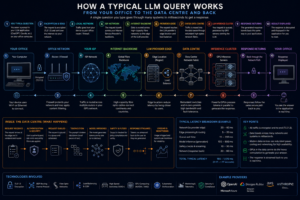
I walk through how a transformer-based Large Language Model (LLM) generates text. From tokenization to embeddings, self-attention, logits, softmax, sampling, the autoregressive loop, and detokenization, I break down each step visually so you can see how it all fits together

Read More »

LLMs Explained

In this video CJ explains chat bots, neural networks, tokenization, embeddings, transformers and more. He shows real working code for everything and gives historical context along the way. View the code here

Read More »

Hyperland

Maybe you’ve heard of it, maybe you haven’t, but if you’re into sleek, customizable setups, Hyprland is about to become your best friend. It’s a modern window manager with a built-in compositor that delivers all the organizational power of a traditional window manager, with the eye candy of KDE Plasma (well, mostly). Whether you’re a minimalist or an aesthetic junkie like myself, Hyprland lets you fine-tune every aspect of your desktop while keeping it smooth and stunning. In this episode, we’ll introduce you to why Hyprland is a game-changer, and how it strikes that perfect balance between functionality and beauty. Get ready to give your desktop the upgrade it deserves!


Read More »

Linux QuickShell

How to Install and Configure Quickshell (2027 Edition) | Part 1
Quickshell is a desktop customization toolkit used to build custom status bars, widgets, lock screens, and complete desktop environments on Linux.
Core Features
• QtQuick and QML: Built on QtQuick and configured using QML, a simple interface description language.
• Hot Reloading: Instantly loads configuration changes as soon as files are saved.
• System Integrations: Provides native bindings for Wayland and X11, window managers like Hyprland, i3, and Sway, plus audio controls (Pipewire) and Bluetooth (BlueZ).
• Alternatives: Functions similarly to popular tools like EWW (Eww) or AGS (Aylur’s Gtk Shell), but leverages the Qt/QML ecosystem.

Read More »

SharePoint

SharePoint development, governance and security
Microsoft SharePoint is a cloud-based document management and collaboration platform included in most Microsoft 365 business subscriptions. It allows organizations to securely store files, build internal company websites (intranets), track project tasks, and share information across team
Scroll to Top

Microsoft 365 Trial Accounts

Select the Microsoft 365 or Office 365 trial that you would like to explore. Each button opens the official Microsoft registration page.

Trial availability, eligibility and duration are determined by Microsoft. Each registration page opens in a new browser tab.