
About Me


My take on IT Support and Development is like Linux - straightforward, to the point and  "Solutions which fit the needs" and no - "we can also do this just because we can" etc.....

You will not get phrases like "Sorry to hear that", "Sorry you are experiencing problems", "We will be happy to help you", "Have a nice day" and insincere phrases like that

I aim to understand exactly what you need and to offer solutions which fit those needs

Get in touch with the forms on this site or by telephone (preferred method, as we can reach a clear understanding by talking). You will be talking to a HUMAN, not an annoying Bot who spends most of it's time trying to understand what you are asking it, then offering a solution which is addressing a totally different problem

Some words about AI:
Yes - I use AI, but I like to think I use it intelligently - as a tool, not as a "quick answer to everything" and a way to "get information without understanding or learning"
Example: I do a lot of scripting using CSS, Java, Python, PowerShell, and CLI interactions. I may well use AI (Codex, for example) to generate some code for me if I am busy with projects and need an answer relatively quickly. I understand any code I have had generated by AI, and it can be edited by me if it needs changing to accomplish the task at hand. By knowing what is needed, I can ask the specific question with the correct terminology and statements. Too many users are just using AI to give them an answer to something which they have no idea about!!! Also, generating a website, for example, just using AI is fatal as it will be putting scripts all over the place, and subsequent editing will not be possible due to a lack of understanding. Comparing an AI script can be like comparing a script generated in the Dreamweaver web design interface to a CSS / JavaScript handwritten. The script will try to accommodate all possibilities of its use and therefore will be massively expanded (and heavy)

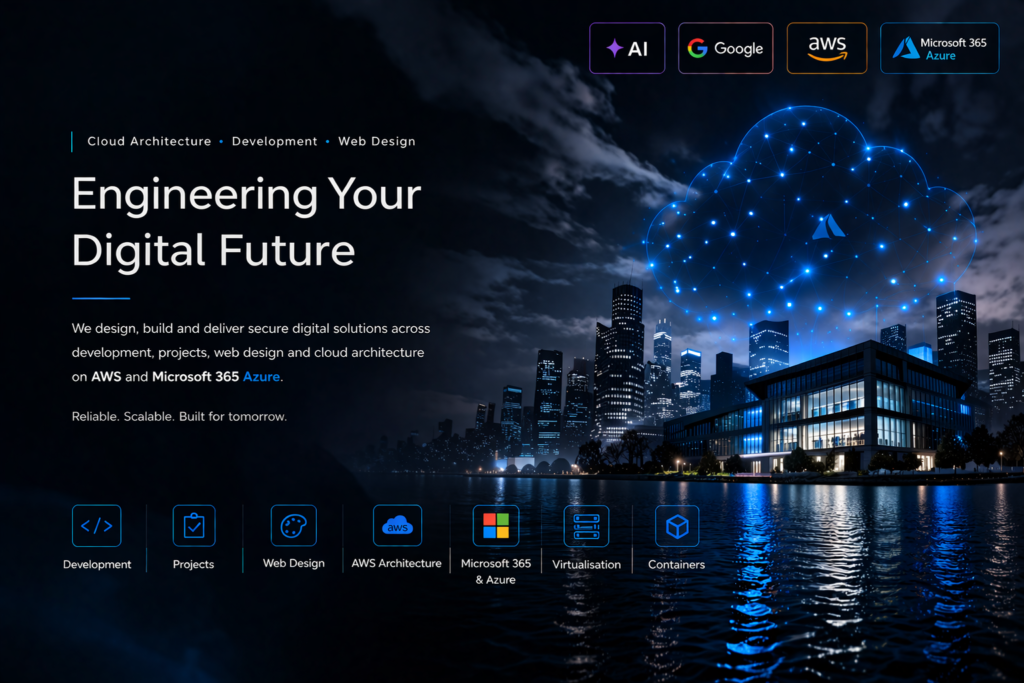
Cloud Architecture. Development. Delivered Right

Secure, Scalable Platforms Built for Growth

We design and deliver modern web platforms, cloud infrastructure, and enterprise solutions across AWS and Microsoft Azure

Supporting organisations with secure architecture and reliable delivery from concept to production


Why IT Support?

What should IT Support be?

Company Support

Small Business

Details of services

Professional Managed IT Support Services

Professional managed IT support services keep business systems secure.

Professional IT support improves reliability across business environments.

Responsive technical assistance maintains operational continuity.

Proactive monitoring prevents infrastructure disruption.

Endpoint management protects desktops and mobile devices.

Cloud infrastructure support enables scalable growth.

Cybersecurity monitoring protects against modern threats.

Backup strategies safeguard critical business data.

Network optimisation improves communication performance.

Server maintenance ensures consistent availability.

Strategic Business Infrastructure Management

Strategic infrastructure planning supports digital transformation.

Automated deployment improves configuration consistency.

Real-time monitoring increases operational visibility.

Remote support enables rapid issue resolution.

Compliance-ready environments support governance requirements.

Vendor coordination strengthens platform integration.

Lifecycle management keeps systems modern and secure.

Service desk workflows improve support transparency.

Infrastructure audits identify operational risk.

Scalable architecture supports business expansion.


Professional Use of Artificial Intelligence in IT Services

Artificial intelligence improves managed IT efficiency.

AI monitoring detects anomalies faster than traditional tools.

Predictive maintenance reduces unexpected downtime.

Automation assistants streamline administrative workloads.

AI cybersecurity analytics improve threat detection.

Smart helpdesk routing improves response speed.

AI diagnostics accelerate troubleshooting workflows.

Infrastructure analytics generate operational insight.

Machine learning strengthens endpoint protection.

Risk-based patching improves vulnerability management.

AI-Enabled Digital Productivity and Business Innovation

Workflow automation reduces manual processes.

Knowledge assistants improve documentation access.

Enterprise search enhances information retrieval.

Natural language interfaces simplify system interaction.

Automated reporting supports leadership decisions.

AI customer assistants improve service consistency.

Cloud AI platforms enable scalable intelligence.

AI coding tools accelerate development delivery.

Data classification improves governance compliance.

Strategic AI adoption strengthens business competitiveness.

Contact Us
Basic Contact Us
Name
Type of work required:
Projects:
Scroll to Top

Is IT Support Necessary?

Why Do I Need IT Support?

Reliable Technology For Everyday Work

  • Keep essential computers, devices, and applications working reliably
  • Reduce interruptions caused by avoidable technical problems
  • Resolve faults before they become prolonged business disruptions
  • Maintain consistent access to the tools used every day
  • Improve reliability across office and remote-working environments
  • Support staff when unexpected technology issues arise
  • Reduce time lost trying to diagnose unfamiliar problems
  • Keep routine technical tasks properly managed
  • Improve confidence when using business technology
  • Provide dependable assistance whenever it is needed

Protection Against Security Threats

  • Protect systems against malware, phishing, and unauthorised access
  • Keep security software and protective controls correctly configured
  • Reduce the risk of compromised user accounts
  • Identify suspicious activity before serious damage occurs
  • Improve password, authentication, and access-control practices
  • Protect sensitive business and customer information
  • Reduce exposure created by outdated software and devices
  • Support secure working from home and other locations
  • Respond quickly when a security incident is suspected
  • Maintain stronger protection as threats continue to evolve

Reduced Downtime And Disruption

  • Restore access quickly when systems or services fail
  • Reduce the operational impact of technical faults
  • Identify recurring problems and address their underlying causes
  • Keep internet, email, applications, and shared resources available
  • Provide structured escalation for more complex issues
  • Avoid delays caused by trial-and-error troubleshooting
  • Improve recovery times following unexpected failures
  • Plan maintenance to minimise interruption to normal work
  • Track faults until they are properly resolved
  • Help the business remain productive during technical incidents

Safe And Recoverable Business Data

  • Protect important files with reliable backup arrangements
  • Check that backups complete successfully and remain usable
  • Recover deleted, damaged, or encrypted information when possible
  • Reduce dependence on a single device or storage location
  • Apply appropriate retention to important business records
  • Support secure cloud and local storage configurations
  • Prepare recovery procedures before an emergency occurs
  • Reduce the consequences of hardware failure or human error
  • Keep access to shared data controlled and traceable
  • Provide confidence that essential information can be restored

Correctly Maintained Systems And Devices

  • Keep operating systems and applications appropriately updated
  • Monitor device health and available storage capacity
  • Remove obsolete software and unnecessary technical risks
  • Maintain printers, peripherals, and connected equipment
  • Identify ageing hardware before it causes disruption
  • Apply consistent settings across supported devices
  • Improve performance through routine maintenance
  • Maintain accurate information about business technology
  • Plan replacements and upgrades in a controlled manner
  • Extend the useful life of equipment where practical

Better Use Of Technology Investments

  • Ensure existing subscriptions and systems are used effectively
  • Avoid unnecessary purchases and duplicated services
  • Select technology that suits genuine operational requirements
  • Configure available features to support everyday work
  • Improve collaboration through properly managed tools
  • Identify opportunities to simplify inefficient processes
  • Reduce waste caused by unsuitable or poorly configured products
  • Provide practical guidance before major technology purchases
  • Align technical decisions with available budgets
  • Increase the value obtained from current technology investments

Support For Staff And Users

  • Give users a clear place to report problems and request help
  • Explain solutions in understandable, practical language
  • Support new starters with accounts, devices, and access
  • Remove access promptly when staff leave or roles change
  • Help users work safely and efficiently
  • Reduce frustration caused by unresolved technical issues
  • Provide guidance on applications and everyday procedures
  • Document recurring solutions for faster future support
  • Treat users consistently while recognising different needs
  • Improve overall confidence in workplace technology

Planning For Growth And Change

  • Prepare systems for additional users, locations, and services
  • Plan upgrades before existing technology becomes unsuitable
  • Support office moves, remote work, and organisational change
  • Identify technical dependencies before projects begin
  • Maintain compatibility as platforms and requirements evolve
  • Provide realistic advice on cost, risk, and implementation
  • Build scalable arrangements instead of temporary fixes
  • Coordinate technology changes with business priorities
  • Reduce disruption during migrations and expansion
  • Keep future development practical and manageable

Compliance And Responsible Data Handling

  • Apply access controls appropriate to roles and responsibilities
  • Support secure handling of personal and confidential information
  • Maintain records of important technical changes
  • Reduce uncontrolled sharing of business data
  • Support retention and deletion requirements where applicable
  • Improve visibility of who can access key resources
  • Help demonstrate reasonable security and maintenance practices
  • Address technical weaknesses identified during reviews
  • Support consistent policies across systems and users
  • Reduce avoidable compliance and reputational risks

Predictable Costs And Professional Guidance

  • Replace emergency-only spending with planned support arrangements
  • Identify priorities before committing available budgets
  • Provide informed advice without relying on guesswork
  • Reduce the cost of repeated faults and avoidable downtime
  • Plan maintenance, renewals, and replacements in advance
  • Match the level of support to actual business requirements
  • Provide access to broader technical experience when needed
  • Explain risks and options before changes are approved
  • Improve accountability for ongoing technical work
  • Give decision-makers confidence in their technology planning

Summary

Professional IT support keeps technology reliable, secure, recoverable, and aligned with the way you work. It reduces downtime, protects important information, helps users resolve problems quickly, and provides informed guidance for future decisions. The result is less disruption, better use of technology, and greater confidence that essential systems will continue to support day-to-day operations.

IT Support Structure:

What Should IT Support Entail?

Accessible Helpdesk And User Assistance

  • A clear and convenient method for requesting technical help
  • Prompt acknowledgement of reported incidents and service requests
  • Remote assistance for users wherever practical
  • On-site support when physical intervention is required
  • Prioritisation based on urgency and operational impact
  • Clear explanations without unnecessary technical language
  • Ownership of each request through to resolution
  • Regular progress updates for longer-running issues
  • Support for approved devices, systems, and applications
  • Consistent service for every authorised user

Incident Diagnosis And Resolution

  • Structured investigation of faults and unexpected behaviour
  • Identification of the underlying cause where possible
  • Safe testing before disruptive changes are introduced
  • Documented fixes for recurring technical problems
  • Escalation when specialist knowledge or vendor support is required
  • Temporary workarounds when an immediate repair is unavailable
  • Verification that normal service has been restored
  • Monitoring after significant fixes where appropriate
  • Review of repeated incidents to prevent recurrence
  • Accurate closure information for completed support requests

Proactive Monitoring And Maintenance

  • Monitoring of critical systems, services, and device health
  • Early warning of storage, performance, or availability problems
  • Routine maintenance scheduled around operational requirements
  • Review of alerts before they develop into serious incidents
  • Removal of obsolete software and unnecessary services
  • Regular checks of important configurations
  • Performance optimisation where measurable benefits are available
  • Tracking of warranties, licences, and device condition
  • Planning for equipment approaching end of support
  • Reporting of risks requiring business decisions

Cybersecurity Management

  • Managed antivirus, endpoint protection, and threat monitoring
  • Secure account configuration and multi-factor authentication
  • Appropriate permissions based on user responsibilities
  • Protection against phishing, malware, and unauthorised access
  • Security updates applied within suitable timescales
  • Secure configuration of email, cloud, and remote-access services
  • Review of suspicious activity and security alerts
  • Incident response procedures for potential compromise
  • Practical security guidance for users
  • Regular improvement of controls as risks change

Backup And Disaster Recovery

  • Backups covering essential systems and business information
  • Appropriate retention across separate storage locations
  • Automated monitoring of backup success and failure
  • Regular restore testing rather than assuming backups work
  • Documented recovery priorities for critical services
  • Protection against accidental deletion and ransomware
  • Defined recovery time and data-loss expectations
  • Secure handling of backup credentials and encryption
  • Contingency planning for major equipment or site failure
  • Periodic review as systems and data volumes change

Updates Patch Management And Configuration

  • Controlled deployment of operating-system and application updates
  • Testing or staged release of higher-risk changes
  • Prompt action on critical security vulnerabilities
  • Maintenance of standard device and application configurations
  • Tracking of unsuccessful or incomplete updates
  • Protection against unsupported software versions
  • Change records for significant configuration adjustments
  • Rollback planning where updates could disrupt operations
  • Coordination with users before planned interruptions
  • Regular review of update policies and maintenance schedules

Account Access And Device Administration

  • Secure creation and configuration of user accounts
  • Prompt changes when roles or responsibilities alter
  • Controlled onboarding and offboarding procedures
  • Management of computers, mobiles, printers, and peripherals
  • Application installation based on approval and licensing
  • Access limited according to genuine business need
  • Inventory records for supported equipment
  • Encryption and security controls on portable devices
  • Recovery or secure removal of retired equipment
  • Consistent administration across office and remote users

Documentation And Asset Records

  • Current records of devices, systems, licences, and services
  • Secure documentation of important configurations
  • Network and service information available during incidents
  • Support procedures for common and critical tasks
  • Change history for major technical decisions
  • Supplier, warranty, and renewal information
  • Recovery instructions kept accessible and protected
  • Knowledge articles for recurring user questions
  • Clear ownership of systems and administrative responsibilities
  • Regular updates when the environment changes

Service Reporting And Communication

  • Regular reporting on incidents, requests, and recurring issues
  • Visibility of response and resolution performance
  • Explanation of significant risks and recommended actions
  • Planned communication before maintenance or service changes
  • Review meetings appropriate to the size of the organisation
  • Transparent information about outstanding work
  • Clear distinction between urgent fixes and future improvements
  • Budget guidance for renewals and planned projects
  • Evidence of completed maintenance and security activity
  • Communication focused on business impact and priorities

Strategic Advice And Continuous Improvement

  • Regular review of whether technology still meets requirements
  • Practical recommendations based on cost, benefit, and risk
  • Planning for growth, replacement, and service changes
  • Identification of inefficient or duplicated solutions
  • Guidance before contracts and subscriptions are renewed
  • Support for cloud, collaboration, and automation improvements
  • Evaluation of new technology without unnecessary adoption
  • Roadmaps that separate immediate needs from longer-term goals
  • Review of lessons following major incidents or projects
  • Continuous improvement of reliability, security, and usability

Summary

Effective IT support should combine responsive user assistance with proactive maintenance, cybersecurity, backups, controlled updates, account administration, documentation, and strategic guidance. It should provide clear ownership, measurable service, and practical communication—not merely react when something breaks. A complete support service protects daily operations while steadily improving reliability and reducing future risk.

IT Support Structure:

Company IT Support

Business-Focused Support Planning

  • Support arrangements aligned with operational priorities
  • Clear identification of critical systems and services
  • Defined responsibilities between internal teams and providers
  • Service levels appropriate to business impact
  • Support coverage matched to working hours and locations
  • Prioritisation of risks affecting productivity and continuity
  • Structured planning for maintenance and improvement
  • Budget visibility for ongoing services and future projects
  • Regular review as company requirements change
  • A practical technology roadmap supporting business objectives

Workforce Helpdesk And Technical Assistance

  • Centralised support for employees and authorised contractors
  • Remote diagnosis and resolution of everyday technical problems
  • On-site assistance for equipment and infrastructure issues
  • Consistent request handling across departments and locations
  • Priority response for incidents affecting multiple users
  • Support for approved business applications and devices
  • Clear updates throughout longer-running cases
  • Escalation to vendors or specialists when required
  • Knowledge resources for common user questions
  • Service records supporting accountability and improvement

Microsoft 365 Cloud And Collaboration Management

  • Administration of users, licences, groups, and shared resources
  • Secure configuration of email and collaboration services
  • Managed access to SharePoint, Teams, and OneDrive content
  • Protection against uncontrolled external sharing
  • Support for calendars, mailboxes, and mobile access
  • Consistent permissions based on roles and responsibilities
  • Retention and recovery controls suited to company needs
  • Monitoring of service health and important changes
  • Guidance on effective use of available cloud features
  • Structured governance across collaborative workspaces

Corporate Cybersecurity And Identity Protection

  • Multi-factor authentication and secure sign-in controls
  • Endpoint protection across company computers and mobiles
  • Role-based access to applications and information
  • Monitoring and response for suspicious security events
  • Email protection against phishing and malicious content
  • Encryption for supported devices and sensitive information
  • Secure remote access for employees and suppliers
  • Regular review of privileged and inactive accounts
  • Security awareness guidance for the workforce
  • Incident procedures supporting rapid containment and recovery

Managed Devices Networks And Infrastructure

  • Standard configuration of company-owned computers and devices
  • Monitoring of servers, networks, internet links, and storage
  • Management of wireless access and network segmentation
  • Controlled software deployment and configuration
  • Routine maintenance of printers and connected equipment
  • Hardware inventory, warranty, and lifecycle records
  • Capacity planning for growing teams and workloads
  • Secure configuration of offices and remote locations
  • Early identification of performance and reliability risks
  • Planned replacement of ageing or unsupported equipment

Data Backup Business Continuity And Recovery

  • Protected backups for critical company information
  • Recovery planning based on operational priorities
  • Monitoring and testing of backup and restore processes
  • Separate protection against deletion, failure, and ransomware
  • Documented procedures for significant technology outages
  • Recovery options for cloud and locally hosted systems
  • Defined expectations for acceptable downtime and data loss
  • Continuity arrangements for remote or alternative working
  • Periodic exercises to validate recovery readiness
  • Regular updates as systems and company dependencies change

Employee Joiner Mover And Leaver Management

  • Timely account and device preparation for new employees
  • Access assigned according to approved job responsibilities
  • Structured changes when staff move between roles
  • Prompt revocation of access when employment ends
  • Secure recovery of company devices and information
  • Consistent licensing and application assignment
  • Management approval for sensitive or privileged access
  • Records supporting audit and accountability
  • Reduced risk from abandoned or excessive permissions
  • Coordination with managers and human-resources processes

Vendor Licensing And Technology Procurement

  • Review of supplier proposals and technical suitability
  • Tracking of subscriptions, renewals, and licence allocation
  • Reduction of duplicated or unused technology expenditure
  • Standard purchasing appropriate to company requirements
  • Warranty and support coordination with manufacturers
  • Evaluation of compatibility before new products are adopted
  • Advice on contracts, service limitations, and dependencies
  • Secure introduction of third-party applications and services
  • Cost planning across the equipment lifecycle
  • Clear ownership of supplier relationships and escalation

Compliance Governance And Documentation

  • Policies supporting secure and responsible technology use
  • Documented configurations and administrative procedures
  • Controlled access to personal and confidential information
  • Retention and deletion aligned with company obligations
  • Evidence of maintenance, security, and recovery activities
  • Change records for important systems and services
  • Support for internal reviews and external assessments
  • Clear ownership of technical and information risks
  • Consistent standards across departments and locations
  • Improved readiness for customer and regulatory requirements

Projects Growth And Digital Improvement

  • Technical planning for expansion, relocation, and restructuring
  • Support for migrations, upgrades, and new service deployments
  • Integration of systems across departments and workflows
  • Automation of appropriate repetitive business processes
  • Scalable solutions supporting additional users and locations
  • Risk and dependency assessment before implementation
  • Testing and communication throughout significant changes
  • Training and handover for newly introduced technology
  • Post-project review and resolution of outstanding issues
  • Long-term improvement aligned with company strategy

Summary

Company IT support provides structured management of users, devices, cloud services, networks, cybersecurity, backups, suppliers, and technology projects. It gives employees dependable assistance while protecting the systems and information on which the organisation relies. Effective support combines daily service delivery with governance, lifecycle planning, and continuous improvement across the whole company.

IT Support Structure:

IT Support For Small Businesses And Individuals

Friendly Help When You Need It

  • Straightforward support for computers, devices, and software
  • Remote assistance for problems that can be resolved quickly
  • On-site help when equipment needs direct attention
  • Clear explanations without confusing technical language
  • Support tailored to your experience and requirements
  • Practical solutions rather than unnecessary complexity
  • Help with both urgent faults and everyday questions
  • Honest advice about available options and likely costs
  • Consistent contact with someone who understands your setup
  • Confidence that help is available when technology goes wrong

Keeping Your Data Safe

  • Backups for important documents, photographs, and records
  • Protection against accidental deletion and device failure
  • Secure cloud storage configured for appropriate access
  • Help recovering files when something has gone wrong
  • Checks to confirm that backups are actually completing
  • Protection against ransomware and malicious software
  • Safe transfer of information to replacement devices
  • Advice on retaining information for the right length of time
  • Reduced reliance on a single computer or storage device
  • Greater confidence that valuable information is recoverable

Security Privacy And Account Protection

  • Secure passwords and multi-factor authentication
  • Protection for email, banking, shopping, and business accounts
  • Removal of malware and investigation of suspicious behaviour
  • Safer wireless networking and internet access
  • Privacy settings appropriate to your requirements
  • Protection against phishing, scams, and fraudulent messages
  • Secure configuration of computers, tablets, and phones
  • Review of account-recovery and emergency contact options
  • Prompt help following a suspected account compromise
  • Practical guidance for staying safer online

Affordable And Predictable Support

  • Flexible support suited to the size of your requirements
  • Clear pricing before significant work is undertaken
  • Prioritisation of essential fixes within available budgets
  • Options for occasional help or ongoing support
  • Avoidance of products and services you do not need
  • Advice on whether equipment should be repaired or replaced
  • Reduced costs from recurring and preventable problems
  • Planning for subscriptions, renewals, and upgrades
  • Solutions designed to provide lasting value
  • No unnecessary enterprise complexity for smaller environments

Making Technology Easier To Use

  • Setup of new computers, phones, printers, and accessories
  • Configuration of email, applications, and online services
  • Transfer of files and settings from older devices
  • Improved organisation of documents and shared information
  • Removal of unwanted software and distracting notifications
  • Clear shortcuts and workflows for frequent tasks
  • Accessibility adjustments where they improve usability
  • Help connecting devices and services together
  • Personal guidance at a comfortable pace
  • A simpler setup that works the way you need it to

Reliable Home And Small Office Connectivity

  • Diagnosis of slow or unreliable internet connections
  • Improved wireless coverage across homes and small offices
  • Secure router and network configuration
  • Connection of printers, storage, televisions, and smart devices
  • Guest access separated where appropriate
  • Help selecting suitable broadband and networking equipment
  • Resolution of repeated connection and drop-out problems
  • Support for working securely from home
  • Practical improvements without unnecessary replacement
  • More dependable access for work, communication, and entertainment

Productivity And Everyday Business Tools

  • Support for Microsoft 365, email, calendars, and documents
  • File sharing appropriate to small teams and clients
  • Setup of video meetings and remote collaboration
  • Simple methods for organising contacts and business information
  • Automation of suitable repetitive administrative tasks
  • Help choosing applications that fit the way you work
  • Resolution of synchronisation and account-access problems
  • Consistent access across computers, tablets, and phones
  • Training for important features and working practices
  • Less time fighting technology and more time completing real work

Personalised Support You Can Trust

  • Support based on your actual needs rather than a generic package
  • Time taken to understand how you use your technology
  • Respectful handling of personal and confidential information
  • Recommendations explained before changes are made
  • No pressure to replace equipment without a sound reason
  • Continuity from someone familiar with your systems
  • Patient assistance for users with different confidence levels
  • Clear boundaries about what can and cannot be achieved
  • Careful testing before work is considered complete
  • A dependable relationship built through practical results

Technology That Supports Future Needs

  • Advice before purchasing computers and other equipment
  • Planning for expansion without unnecessary complexity
  • Systems that can accommodate additional users when needed
  • Safe upgrades from ageing or unsupported technology
  • Preparation for new working arrangements and locations
  • Compatibility checks before money is committed
  • Simple documentation for important accounts and services
  • Gradual improvements based on priority and budget
  • Reduced risk of being locked into unsuitable solutions
  • Technology choices that remain useful as requirements change

Support That Feels Personal

  • Prompt attention when technology is preventing you from working
  • Communication through channels that suit your circumstances
  • Appointments arranged around reasonable availability
  • Progress updates when a problem cannot be fixed immediately
  • Follow-up after important repairs or changes
  • Help coordinating with broadband providers and other suppliers
  • A clear record of completed work and recommendations
  • Practical prevention of problems already experienced
  • Support for both immediate needs and longer-term improvements
  • Reassurance that you are not facing technical problems alone

Summary

IT support for small businesses and individuals should be approachable, affordable, secure, and tailored to real needs. It covers everyday troubleshooting, data protection, account security, connectivity, new-device setup, productivity tools, and sensible future planning. The aim is simple: dependable technology, fewer interruptions, and trusted help whenever it is needed.

Project Design:

What Your Project Development Will Include

Structured Project Planning From The Start

  • Clear understanding of project goals and expectations
  • Defined scope aligned with business priorities
  • Logical development roadmap for delivery stages
  • Transparent milestones throughout the process
  • Reduced risk of unexpected delays
  • Prioritised features based on importance
  • Improved visibility of progress during development
  • Alignment between technical delivery and outcomes
  • Predictable workflow structure
  • Confidence in project direction from the outset

Reliable Technical Foundations

  • Stable architecture supporting long-term growth
  • Clean structured build approach
  • Efficient component organisation
  • Future-ready development decisions
  • Reduced maintenance complexity
  • Improved reliability across environments
  • Stronger performance consistency
  • Compatibility across modern browsers
  • Support for scalable expansion later
  • Secure development structure

Integration With Your Existing Systems

  • Connection with existing tools where required
  • Support for business workflow automation
  • Improved data consistency between systems
  • Reduced manual handling tasks
  • Better operational efficiency
  • Structured integration planning
  • Compatibility with modern platforms
  • Improved reliability of connected services
  • Streamlined user journeys across tools
  • Support for future integrations if needed

Performance-Focused Development

  • Efficient loading behaviour across pages
  • Optimised delivery of assets and resources
  • Reduced unnecessary processing overhead
  • Improved responsiveness across devices
  • Faster interaction performance
  • Lower risk of slow page bottlenecks
  • Better technical foundation for SEO support
  • Improved stability under visitor load
  • Consistent experience across browsers
  • Enhanced long-term maintainability

Security-Aware Development Practices

  • Protection against common vulnerability risks
  • Structured permission handling
  • Secure data handling practices
  • Safer interaction between components
  • Reduced exposure to automated attacks
  • Improved protection for contact pathways
  • Stronger reliability for client information handling
  • Cleaner separation between logic layers
  • Improved resilience of application behaviour
  • Confidence in platform stability

Testing Across Devices And Environments

  • Verification across modern browsers
  • Testing across mobile screen sizes
  • Consistency across operating systems
  • Reliable behaviour across navigation paths
  • Improved interaction stability
  • Reduced unexpected layout issues
  • Structured validation before delivery
  • Improved accessibility behaviour checks
  • Confidence in deployment readiness
  • Smoother visitor experience after launch

Deployment Prepared For Real-World Use

  • Structured transition from development to live environment
  • Reliable release preparation workflow
  • Reduced launch disruption risk
  • Improved stability during rollout
  • Controlled introduction of new functionality
  • Safer configuration handling
  • Predictable behaviour after release
  • Clear launch readiness validation
  • Support for staged rollout if required
  • Confidence at go-live stage

Documentation Supporting Long-Term Use

  • Clear understanding of implemented features
  • Structured explanation of project components
  • Easier onboarding for future updates
  • Reduced dependency on guesswork later
  • Support for internal team reference
  • Improved maintainability over time
  • Clarity around system behaviour
  • Better continuity for future improvements
  • Transparent development decisions
  • Stronger long-term project ownership

Future-Ready Expansion Support

  • Preparation for additional features later
  • Structured growth pathways built in
  • Reduced need for major rebuilds
  • Flexible architecture decisions
  • Compatibility with future integrations
  • Support for scaling business requirements
  • Extendable component structure
  • Efficient upgrade pathways
  • Adaptability to changing needs
  • Confidence in long-term investment value

Summary

This development approach ensures your project is delivered on a reliable technical foundation with structured planning, strong performance behaviour, secure implementation practices, and clear readiness for future expansion. The result is a stable solution that supports your business operations effectively and remains adaptable as your requirements evolve.

Web Design:

Programming:

What Your Programming Work Will Include

Custom Functionality Built Around Your Requirements

  • Features tailored to support your specific business workflows
  • Logic designed around real user interaction needs
  • Efficient handling of dynamic content behaviour
  • Flexible functionality aligned with future expansion
  • Cleaner interaction between components
  • Reduced reliance on unnecessary third-party plugins
  • Improved reliability of custom features
  • Structured behaviour across user journeys
  • Compatibility with existing systems where required
  • Greater control over how your website operates

Clean And Maintainable Code Structure

  • Organised programming structure for long-term stability
  • Readable implementation supporting future updates
  • Logical separation between functionality layers
  • Reduced technical complexity during maintenance
  • Consistent behaviour across components
  • Improved debugging efficiency when required
  • Predictable interaction between modules
  • Better support for performance optimisation
  • Future-ready implementation decisions
  • Confidence in long-term technical reliability

Performance-Efficient Implementation

  • Optimised script behaviour across pages
  • Reduced unnecessary processing overhead
  • Improved responsiveness during interactions
  • Faster execution of dynamic features
  • Lower impact on page loading speed
  • Efficient handling of background operations
  • Stable behaviour under visitor load
  • Reduced resource consumption across devices
  • Improved technical support for SEO performance
  • Consistent behaviour across environments

Secure Programming Practices

  • Protection against common vulnerability risks
  • Structured validation of user input
  • Safer handling of sensitive data pathways
  • Improved reliability of authentication logic
  • Cleaner separation between secure components
  • Reduced exposure to automated attack attempts
  • Strengthened integrity of interactive features
  • Safer communication between system layers
  • Improved protection of enquiry and form handling
  • Confidence in platform stability and safety

Integration With External Services And APIs

  • Connection with third-party platforms where required
  • Structured data exchange between systems
  • Improved automation across workflows
  • Reliable synchronisation of external services
  • Reduced manual processing requirements
  • Support for CRM and analytics integration
  • Compatibility with modern service platforms
  • Stable behaviour during service interaction
  • Flexible support for future integrations
  • Improved operational efficiency across tools

Browser And Device Compatibility Support

  • Consistent behaviour across modern browsers
  • Stable functionality across mobile environments
  • Improved interaction reliability on tablets
  • Reduced risk of feature inconsistencies
  • Structured testing across device types
  • Improved accessibility interaction support
  • Stable script execution across platforms
  • Reliable behaviour across navigation pathways
  • Improved resilience across environments
  • Smoother experience for all visitors

Scalable Programming Architecture

  • Support for future feature expansion
  • Extendable functionality structure
  • Reduced need for major rebuilds later
  • Flexible component-based development approach
  • Compatibility with evolving requirements
  • Structured preparation for system growth
  • Cleaner upgrade pathways over time
  • Improved adaptability to business changes
  • Efficient extension of existing functionality
  • Long-term protection of development investment

Testing And Validation Before Deployment

  • Verification of functionality behaviour before release
  • Consistency checks across interaction paths
  • Improved reliability across feature workflows
  • Reduced likelihood of unexpected behaviour
  • Structured validation across environments
  • Improved stability after deployment
  • Reliable behaviour during user interaction
  • Clear readiness for production use
  • Confidence in feature performance after launch
  • Smoother transition into live operation

Documentation Supporting Future Updates

  • Clear understanding of implemented functionality
  • Structured explanation of system behaviour
  • Easier updates when requirements evolve
  • Reduced dependency on reverse engineering later
  • Support for internal technical reference
  • Improved maintainability across modules
  • Transparent implementation decisions
  • Better continuity across future development work
  • Improved onboarding for additional contributors
  • Long-term clarity of system structure

Summary

This programming approach provides reliable custom functionality built on clean structure, secure implementation practices, efficient performance behaviour, and scalable architecture. The result is a stable technical foundation that supports current requirements while remaining adaptable for future enhancements as your website continues to grow.

Ai Development:

What Your Mobile Device Support And Configuration Will Include

Mobile Device Setup And Configuration

  • Structured smartphone and tablet setup aligned with organisational needs
  • Reliable configuration across Android and Apple mobile devices
  • Consistent settings across user devices and environments
  • Improved readiness for day-to-day business use
  • Support for secure and dependable mobile working
  • Alignment between device configuration and operational workflows
  • Reduced complexity across mobile device settings
  • Improved stability across connected applications and services
  • Clear device configuration supporting long-term use
  • Confidence in mobile device reliability from the outset

User Accounts And Mobile Access

  • Structured user account configuration across mobile services
  • Controlled access aligned with individual responsibilities
  • Secure access to business email, files, and applications
  • Improved consistency across user authentication
  • Support for multifactor authentication processes
  • Reduced exposure to unauthorised access risks
  • Safer use of organisational resources from mobile devices
  • Clear separation between business and personal information
  • Improved control across mobile user environments
  • Stronger protection of organisational resources

Mobile Email And Communication Support

  • Professional email configuration on smartphones and tablets
  • Reliable account synchronisation and message delivery
  • Improved mailbox access across supported devices
  • Support for calendars, contacts, and shared mailboxes
  • Safer handling of business communication
  • Improved spam and phishing protection readiness
  • Structured calendar coordination across mobile users
  • Consistent communication settings across devices
  • Improved visibility of organisational communication
  • Confidence in mobile email reliability

Mobile Applications And Data Management

  • Organised application installation aligned with business requirements
  • Improved access to organisational data
  • Structured management of business and productivity applications
  • Clear access to files and shared resources
  • Reduced duplication of stored information
  • Safer handling of application data
  • Improved visibility of storage usage and device resources
  • Support for structured backup and recovery workflows
  • Better coordination across applications and devices
  • Stronger accessibility of accurate organisational information

Smartphone And Tablet Connectivity Support

  • Structured connectivity configuration for mobile users
  • Reliable Wi-Fi, Bluetooth, mobile data, and hotspot setup
  • Improved connectivity across office and remote environments
  • Support for secure VPN and remote access connections
  • Consistent connection behaviour across supported devices
  • Improved visibility of network and connection settings
  • Reduced disruption between mobile communication services
  • Support for efficient remote and hybrid working
  • Better alignment between connectivity and business activity
  • Stronger connection reliability across mobile devices

Mobile Security And Device Protection

  • Structured security configuration aligned with organisational needs
  • Improved protection of business and personal data
  • Safer screen-lock, biometric, and password configuration
  • Reduced exposure to common mobile security risks
  • Improved consistency across security controls
  • Support for encryption and secure device access
  • Better readiness for lost or stolen device recovery
  • Improved visibility of security and privacy settings
  • Stronger protection across mobile applications
  • Confidence in mobile device security

Mobile Device Management And Updates

  • Management support across organisational mobile devices
  • Improved coordination between users, devices, and applications
  • Reduced manual configuration requirements
  • Structured handling of application deployment and permissions
  • Improved operating system and application update consistency
  • Faster configuration and support workflows
  • Support for scalable device management improvements later
  • Improved productivity across mobile users
  • Better device status and compliance visibility
  • More efficient mobile device administration

Integration With Business Systems

  • Improved interaction between mobile devices and business services
  • Structured access to email, cloud storage, and collaboration tools
  • Reduced duplication of effort between devices and platforms
  • Improved consistency across operational workflows
  • Support for coordinated file and information handling
  • Better communication across mobile and desktop environments
  • Stronger alignment between devices and organisational needs
  • Improved user experience across connected applications
  • Support for extending existing mobile capabilities
  • Enhanced day-to-day operational efficiency

Mobile Support Documentation And Guidance

  • Clear visibility of implemented mobile device settings
  • Structured understanding of device configuration
  • Easier onboarding for future users and administrators
  • Reduced reliance on undocumented configuration changes later
  • Improved continuity across device replacements and updates
  • Support for future configuration adjustments
  • Transparent mobile environment overview
  • Improved maintainability across supported devices
  • Better long-term device ownership clarity
  • Confidence in future mobile device stability

Summary

This mobile device support and configuration approach provides secure, reliable, and well-organised smartphones and tablets with protected user access, dependable communication, managed applications, stable connectivity, and integrated business services aligned with operational requirements. The result is an efficient mobile environment that supports flexible working, improves productivity, and strengthens day-to-day operations across your organisation.

Microsoft 365 Azure:

What Your Microsoft 365 And Azure Development Will Include

Secure Cloud-Based Business Solutions

  • Cloud architecture aligned with business requirements
  • Secure handling of organisational data within Microsoft environments
  • Reliable access to services from any location
  • Structured identity and permission management support
  • Reduced dependency on local infrastructure
  • Improved collaboration across teams and departments
  • Consistent availability across devices and locations
  • Centralised service management within Microsoft platforms
  • Stronger resilience compared with traditional hosting setups
  • Confidence in long-term cloud platform stability

Microsoft 365 Workflow Automation

  • Automation of repetitive business processes
  • Improved efficiency across internal operations
  • Integration between Microsoft apps and services
  • Reduced manual administrative tasks
  • Faster handling of approvals and notifications
  • Improved document lifecycle management
  • Streamlined communication between teams
  • Better consistency across workflows
  • Support for scalable automation improvements later
  • Enhanced productivity across departments

Azure Application Development Support

  • Custom cloud-based functionality tailored to operational needs
  • Reliable hosting within Microsoft Azure infrastructure
  • Flexible architecture supporting future expansion
  • Improved performance consistency across environments
  • Structured deployment preparation workflows
  • Support for modern application delivery models
  • Compatibility with Microsoft cloud services ecosystem
  • Stable execution across production environments
  • Reduced infrastructure maintenance requirements
  • Confidence in scalable cloud deployment readiness

Secure Identity And Access Management

  • Structured Microsoft Entra ID access configuration support
  • Improved user authentication management
  • Controlled permissions across services and applications
  • Safer collaboration with internal and external users
  • Reduced exposure to unauthorised access risks
  • Improved governance across Microsoft environments
  • Support for secure remote working access
  • Consistent identity handling across platforms
  • Stronger protection of organisational resources
  • Improved compliance readiness support

Integration With Microsoft Business Tools

  • Connection between Microsoft 365 services and business workflows
  • Integration with SharePoint for document management
  • Support for Teams-based collaboration environments
  • Improved use of Outlook and calendar automation features
  • Structured interaction between Microsoft services
  • Better coordination across departments
  • Improved data flow between internal tools
  • Reduced duplication of manual processes
  • Support for extending existing Microsoft investments
  • Stronger operational continuity across services

SharePoint And Data Structure Improvements

  • Organised document storage environments
  • Improved access to shared information resources
  • Structured permission handling across teams
  • Clearer navigation within document libraries
  • Support for collaboration-ready file structures
  • Reduced duplication of stored information
  • Improved version management support
  • Better visibility of shared business content
  • Enhanced internal knowledge accessibility
  • Stronger consistency across document workflows

Power Platform Solution Development

  • Custom Power Apps aligned with operational requirements
  • Power Automate workflows supporting task automation
  • Improved interaction between Microsoft services
  • Structured handling of approval processes
  • Better visibility of workflow progress across teams
  • Reduced dependency on manual processing steps
  • Faster internal communication through automation
  • Support for scalable low-code solution expansion
  • Improved coordination across departments
  • Greater flexibility for evolving business needs

Azure Hosting And Deployment Readiness

  • Reliable deployment within Microsoft cloud environments
  • Structured configuration supporting stable operation
  • Improved readiness for production rollout
  • Reduced risk during service transitions
  • Predictable behaviour after deployment
  • Support for staged rollout strategies where required
  • Improved monitoring readiness support
  • Better visibility of environment configuration
  • Enhanced long-term hosting flexibility
  • Confidence in cloud delivery stability

Scalable Architecture Supporting Future Growth

  • Preparation for expanding service requirements later
  • Flexible cloud-based infrastructure decisions
  • Support for integration with future Microsoft services
  • Reduced likelihood of major rebuild requirements
  • Improved adaptability to changing operational needs
  • Extendable solution structure across environments
  • Efficient upgrade pathways over time
  • Support for organisational scaling strategies
  • Long-term protection of technology investment
  • Confidence in future-ready platform capability

Summary

This Microsoft 365 and Azure development approach provides secure cloud-based functionality, structured automation support, reliable integration across Microsoft services, and scalable architecture designed to grow with organisational requirements. The result is a stable, flexible cloud environment that improves collaboration, strengthens security, and supports efficient day-to-day operations across teams and systems.

Microsoft 365:

What Your Microsoft 365 Development And Configuration Will Include

Microsoft 365 Environment Setup And Structure

  • Structured Microsoft 365 tenant configuration aligned with organisational needs
  • Clear service setup supporting business workflows
  • Improved consistency across Microsoft applications
  • Reliable configuration across user environments
  • Optimised service readiness for daily operations
  • Support for secure organisational collaboration
  • Alignment between platform configuration and business requirements
  • Improved stability across connected services
  • Reduced configuration complexity across environments
  • Confidence in long-term platform usability

User Identity And Access Configuration

  • Structured user account configuration across Microsoft services
  • Role-based access aligned with responsibilities
  • Controlled permission management across teams
  • Improved identity consistency across applications
  • Support for secure authentication processes
  • Reduced risk of unauthorised access exposure
  • Safer collaboration with internal and external users
  • Improved governance across user environments
  • Clear separation between administrative and standard access
  • Stronger protection of organisational resources

Exchange Online Configuration Support

  • Professional email environment configuration
  • Reliable mailbox structure setup
  • Improved mail flow consistency
  • Support for shared mailbox collaboration
  • Structured calendar coordination across teams
  • Safer external communication handling
  • Improved organisation-wide communication readiness
  • Better mailbox permission management
  • Reduced configuration inconsistencies across users
  • Confidence in business email reliability

SharePoint Configuration And Document Structure

  • Organised SharePoint site structure aligned with teams
  • Improved document access management
  • Structured collaboration-ready file environments
  • Clear navigation across shared information spaces
  • Improved document version management support
  • Reduced duplication of stored business content
  • Safer document sharing workflows
  • Better visibility of internal resources
  • Improved coordination across departments
  • Stronger knowledge-sharing capability


SharePoint Development, Governance and Security

SharePoint is one of the most powerful components of the Microsoft 365 ecosystem, providing organisations with a secure platform for document management, collaboration, knowledge sharing and business process automation. However, its effectiveness depends entirely on how well it is designed, governed and administered.

One of the most common problems I encounter is poorly planned SharePoint environments where permissions have evolved organically rather than being designed strategically. Departments create sites independently, users grant access without understanding the security implications, and document libraries become increasingly difficult to administer. The result is often one of two scenarios: users cannot access information they require to perform their role, or they gain access to information they should never have been able to see.

Requests such as "I need this share urgently" or "I can't work because I don't have access" are usually symptoms of a poorly governed SharePoint environment rather than isolated support issues. Every permission request should be assessed against business requirements, validated against existing security policies and fully tested before implementation.

Successful SharePoint development begins with understanding the organisation rather than the technology. Information architecture should reflect business functions, operational workflows and organisational responsibilities. Every site, document library and collaboration space should have a clearly defined purpose, an identified business owner and an agreed governance model.

Access control should always follow Microsoft's Zero Trust security principles. Users should receive the minimum permissions necessary to perform their role, with access granted through Microsoft Entra ID security groups rather than individual user assignments wherever possible. This approach simplifies administration, improves consistency and significantly reduces long-term management overhead.

Permission inheritance should be maintained wherever practical. Excessive use of unique permissions creates complex security structures that become increasingly difficult to audit and support. A well-designed hierarchy allows permissions to flow naturally through sites and document libraries while maintaining flexibility where genuine business requirements exist.

External collaboration requires particular attention. Modern organisations increasingly work with customers, suppliers, consultants and contractors, making secure external sharing essential. Guest access should be carefully controlled through Microsoft Entra ID, Conditional Access policies and regular access reviews. Anonymous sharing links should be disabled unless there is a clearly defined business requirement supported by appropriate governance.

Modern SharePoint development extends far beyond document storage. It provides the foundation for integrated business solutions through Microsoft Teams, Power Automate, Power Apps, Microsoft Lists and the wider Microsoft 365 platform. These integrations must be designed with security as a primary consideration, ensuring automated processes operate with appropriate permissions and are fully monitored.

Effective information management depends on structure rather than folders alone. Metadata, content types, document versioning, approval workflows and retention policies should be incorporated into the initial solution design. These features improve document discovery, support compliance requirements and reduce administrative effort throughout the lifecycle of the information.

Microsoft Purview should be used to classify and protect sensitive business information through Sensitivity Labels, Data Loss Prevention (DLP) policies, retention schedules and information protection policies. Security should travel with the document regardless of where it is stored or shared, ensuring consistent protection across the Microsoft 365 environment.

Business continuity also depends upon effective governance. Regular permission audits should identify excessive privileges, obsolete accounts, orphaned sites and unnecessary external users. Access should be reviewed periodically by business owners to ensure permissions remain appropriate as staff responsibilities evolve.

Search and knowledge management are equally important. A well-designed SharePoint environment enables employees to locate information quickly through managed metadata, consistent naming conventions and properly configured search indexing. At the same time, SharePoint's security trimming ensures that users only discover content for which they have authorised access.

Development projects should always include comprehensive testing using representative user accounts rather than administrator credentials. Every permission level, workflow, approval process and sharing mechanism should be validated before deployment to ensure the platform behaves exactly as intended under real-world conditions.

Comprehensive documentation should accompany every implementation, including site architecture, permission models, governance policies, naming standards, retention policies and administrative procedures. This ensures future changes can be implemented consistently and reduces dependence upon individual administrators.

User education forms a critical part of any SharePoint deployment. Employees should understand how to share documents correctly, when to use Teams versus SharePoint, how external sharing operates and why security controls exist. Well-informed users are one of the strongest defences against accidental data exposure.

Ultimately, SharePoint should not be viewed simply as a file server in the cloud. It is a strategic business platform that, when properly architected and governed, delivers secure collaboration, controlled information sharing, regulatory compliance and efficient business processes across the entire organisation.

A professionally developed SharePoint environment combines robust governance, secure access management, Microsoft Entra ID integration, Conditional Access, Microsoft Purview compliance, structured information architecture and ongoing administration to create a platform that is both highly productive and highly secure. When these principles are followed, SharePoint becomes a trusted corporate information system rather than simply another location to store documents.

Microsoft Teams Configuration For Collaboration

  • Structured Teams workspace organisation
  • Clear channel setup aligned with projects or departments
  • Improved communication consistency across teams
  • Integration with Microsoft 365 collaboration tools
  • Better meeting environment readiness
  • Improved file-sharing coordination within Teams
  • Reduced fragmentation between communication platforms
  • Support for hybrid and remote working environments
  • Improved visibility of team activity and resources
  • Stronger collaboration across organisational groups

Security And Compliance Configuration Support

  • Structured security configuration aligned with organisational needs
  • Improved protection of business data
  • Safer collaboration across Microsoft services
  • Support for secure external sharing controls
  • Improved visibility of permission handling across environments
  • Reduced exposure to common configuration risks
  • Stronger alignment with compliance expectations
  • Improved consistency across security policies
  • Better readiness for governance requirements
  • Confidence in platform protection structure

Microsoft 365 Workflow And Automation Support

  • Automation of routine business processes where appropriate
  • Improved coordination between Microsoft applications
  • Reduced manual administrative tasks
  • Structured approval workflow handling
  • Improved document lifecycle consistency
  • Faster handling of notifications and updates
  • Support for scalable automation improvements
  • Improved productivity across departments
  • Better operational workflow visibility
  • More efficient internal collaboration processes

Integration Across Microsoft 365 Services

  • Improved interaction between Teams, SharePoint, and Outlook
  • Structured collaboration across connected applications
  • Reduced duplication of effort between platforms
  • Improved consistency across business processes
  • Support for coordinated document handling workflows
  • Better communication across service boundaries
  • Stronger alignment between tools and operational needs
  • Improved user experience across Microsoft services
  • Support for extending existing Microsoft investments
  • Enhanced day-to-day operational efficiency

Configuration Documentation Supporting Ongoing Use

  • Clear visibility of implemented configuration decisions
  • Structured understanding of environment setup
  • Easier onboarding for future administrators
  • Reduced reliance on undocumented changes later
  • Improved continuity across platform updates
  • Support for future configuration adjustments
  • Transparent environment structure overview
  • Improved maintainability across services
  • Better long-term platform ownership clarity
  • Confidence in future configuration stability

Summary

This Microsoft 365 development and configuration approach provides a structured collaboration environment with secure identity management, organised document systems, reliable communication tools, and integrated workflows aligned with operational requirements. The result is a stable and efficient Microsoft 365 platform that supports teamwork, improves productivity, and strengthens day-to-day business operations.

Ai Development:

What Your Linode Cloud Hosting And Configuration Will Include

Linode Server Setup And Configuration

  • Structured Linode server deployment aligned with organisational needs
  • Reliable configuration across Linux distributions and cloud environments
  • Consistent settings across virtual servers and services
  • Improved readiness for day-to-day business use
  • Support for secure and dependable cloud hosting
  • Alignment between server configuration and operational workflows
  • Reduced complexity across Linode infrastructure
  • Improved stability across hosted applications and services
  • Clear server structure supporting long-term use
  • Confidence in cloud infrastructure reliability from the outset

User Accounts And Administrative Access

  • Structured user account configuration across Linode servers
  • Controlled administrative access aligned with responsibilities
  • Secure SSH access to cloud infrastructure
  • Improved consistency across user authentication
  • Support for SSH keys and multifactor authentication processes
  • Reduced exposure to unauthorised access risks
  • Safer management of organisational cloud resources
  • Clear separation between administrative and standard user roles
  • Improved control across hosted environments
  • Stronger protection of organisational resources

Website And Application Hosting Support

  • Professional hosting configuration for websites and applications
  • Reliable web server and application deployment
  • Improved hosting structure across domains and services
  • Support for databases, content management systems, and web applications
  • Safer handling of website and application data
  • Improved performance and security readiness
  • Structured domain and DNS configuration
  • Consistent service availability across hosted resources
  • Improved visibility of application performance and availability
  • Confidence in hosted service reliability

Linode Storage And Data Management

  • Organised storage configuration aligned with business requirements
  • Improved access to hosted organisational data
  • Structured management of block and object storage
  • Clear allocation of server storage resources
  • Reduced duplication of stored information
  • Safer handling of application and database data
  • Improved visibility of storage usage and capacity
  • Support for structured backup and recovery workflows
  • Better coordination across servers and applications
  • Stronger accessibility of accurate organisational information

Cloud Networking And Connectivity Support

  • Structured network configuration for Linode environments
  • Reliable public and private network connectivity
  • Improved communication across servers and hosted services
  • Support for secure VPN and remote access connections
  • Consistent network behaviour across cloud resources
  • Improved visibility of IP addressing and network settings
  • Reduced disruption between connected services
  • Support for efficient remote server administration
  • Better alignment between networking and business activity
  • Stronger connection reliability across cloud infrastructure

Linode Security And Server Protection

  • Structured security configuration aligned with organisational needs
  • Improved protection of hosted systems and business data
  • Safer firewall, SSH, and access-control configuration
  • Reduced exposure to common cloud security risks
  • Improved consistency across server security controls
  • Support for encryption and secure administrative access
  • Better readiness for security incidents and recovery
  • Improved visibility of server activity and security events
  • Stronger protection across hosted applications
  • Confidence in Linode infrastructure security

Server Management And Updates

  • Management support across organisational Linode servers
  • Improved coordination between servers, applications, and services
  • Reduced manual configuration requirements
  • Structured handling of software deployment and permissions
  • Improved operating system and application update consistency
  • Faster server maintenance and support workflows
  • Support for scalable infrastructure improvements later
  • Improved productivity across technical teams
  • Better server status and performance visibility
  • More efficient cloud infrastructure administration

Integration With Business Systems

  • Improved interaction between Linode servers and business services
  • Structured integration with applications, databases, and cloud platforms
  • Reduced duplication of effort between systems
  • Improved consistency across operational workflows
  • Support for coordinated data and application handling
  • Better communication across hosted and local environments
  • Stronger alignment between infrastructure and organisational needs
  • Improved user experience across connected applications
  • Support for extending existing cloud capabilities
  • Enhanced day-to-day operational efficiency

Linode Documentation And Ongoing Support

  • Clear visibility of implemented server settings
  • Structured understanding of cloud infrastructure configuration
  • Easier onboarding for future administrators
  • Reduced reliance on undocumented configuration changes later
  • Improved continuity across server replacements and updates
  • Support for future configuration adjustments
  • Transparent Linode environment overview
  • Improved maintainability across hosted systems
  • Better long-term infrastructure ownership clarity
  • Confidence in future cloud platform stability

Summary

This Linode cloud hosting and configuration approach provides secure, reliable, and well-organised virtual servers with protected administrative access, dependable application hosting, managed storage, stable networking, and integrated business services aligned with operational requirements. The result is an efficient cloud environment that supports scalable hosting, improves service availability, and strengthens day-to-day operations across your organisation.

Ai Development:

What Your Hostinger Hosting And Configuration Will Include

Hostinger Hosting Setup And Configuration

  • Structured Hostinger hosting setup aligned with organisational needs
  • Reliable configuration across websites, applications, and hosting services
  • Consistent settings across domains and hosting environments
  • Improved readiness for day-to-day business use
  • Support for secure and dependable website hosting
  • Alignment between hosting configuration and operational workflows
  • Reduced complexity across Hostinger services
  • Improved stability across hosted websites and applications
  • Clear hosting structure supporting long-term use
  • Confidence in hosting reliability from the outset

User Accounts And Administrative Access

  • Structured user account configuration across Hostinger services
  • Controlled administrative access aligned with responsibilities
  • Secure access to hPanel and hosted resources
  • Improved consistency across user authentication
  • Support for strong passwords and multifactor authentication
  • Reduced exposure to unauthorised access risks
  • Safer management of organisational hosting resources
  • Clear separation between administrative and standard access roles
  • Improved control across hosted environments
  • Stronger protection of organisational resources

Website And WordPress Hosting Support

  • Professional hosting configuration for websites and WordPress
  • Reliable website and application deployment
  • Improved hosting structure across domains and services
  • Support for content management systems, databases, and web applications
  • Safer handling of website and customer data
  • Improved performance and security readiness
  • Structured staging and website migration processes
  • Consistent service availability across hosted resources
  • Improved visibility of website performance and availability
  • Confidence in hosted website reliability

Domain And DNS Management

  • Organised domain configuration aligned with business requirements
  • Improved control of domain names and DNS records
  • Structured management of website and email records
  • Clear configuration of subdomains and redirects
  • Reduced risk of conflicting or duplicated records
  • Safer handling of domain ownership and renewals
  • Improved visibility of domain and DNS settings
  • Support for structured website and email migrations
  • Better coordination across domains and hosted services
  • Stronger reliability of organisational web addresses

Business Email And Communication Support

  • Structured email configuration for Hostinger environments
  • Reliable mailbox setup and message delivery
  • Improved communication across users and business services
  • Support for secure email access across devices
  • Consistent mailbox behaviour across supported applications
  • Improved visibility of mail routing and DNS settings
  • Reduced disruption between connected email services
  • Support for efficient mailbox migration and administration
  • Better alignment between email and business activity
  • Stronger communication reliability across the organisation

Hostinger Security And Website Protection

  • Structured security configuration aligned with organisational needs
  • Improved protection of hosted websites and business data
  • Safer SSL, access-control, and application configuration
  • Reduced exposure to common website security risks
  • Improved consistency across hosting security controls
  • Support for secure administrative and FTP access
  • Better readiness for security incidents and recovery
  • Improved visibility of suspicious activity and security events
  • Stronger protection across hosted applications
  • Confidence in Hostinger hosting security

Backups Performance And Updates

  • Management support across organisational websites and hosting services
  • Improved coordination between websites, databases, and applications
  • Reduced manual maintenance requirements
  • Structured handling of backups, restoration, and software updates
  • Improved WordPress, plugin, and application update consistency
  • Faster website maintenance and support workflows
  • Support for scalable hosting improvements later
  • Improved website speed and operational performance
  • Better resource usage and availability visibility
  • More efficient hosting administration

Integration With Business Systems

  • Improved interaction between Hostinger services and business systems
  • Structured integration with websites, databases, and cloud platforms
  • Reduced duplication of effort between systems
  • Improved consistency across operational workflows
  • Support for coordinated data and application handling
  • Better communication across hosted and external environments
  • Stronger alignment between hosting and organisational needs
  • Improved user experience across connected applications
  • Support for extending existing website capabilities
  • Enhanced day-to-day operational efficiency

Hostinger Documentation And Ongoing Support

  • Clear visibility of implemented hosting settings
  • Structured understanding of website and hosting configuration
  • Easier onboarding for future administrators
  • Reduced reliance on undocumented configuration changes later
  • Improved continuity across website migrations and updates
  • Support for future configuration adjustments
  • Transparent Hostinger environment overview
  • Improved maintainability across hosted systems
  • Better long-term hosting ownership clarity
  • Confidence in future hosting platform stability

Summary

This Hostinger hosting and configuration approach provides secure, reliable, and well-organised website services with protected administrative access, dependable WordPress hosting, managed domains and email, regular backups, improved performance, and integrated business services aligned with operational requirements. The result is an efficient hosting environment that supports business websites, improves service availability, and strengthens day-to-day operations across your organisation.

Google Workspace:

What Your Google Workspace Development And Configuration Will Include

Google Workspace Environment Setup And Structure

  • Structured Google Workspace tenant configuration aligned with organisational needs
  • Reliable setup across Gmail, Drive, Meet, and collaboration services
  • Consistent configuration across user environments
  • Improved readiness for day-to-day business use
  • Support for secure organisational collaboration
  • Alignment between platform setup and operational workflows
  • Reduced configuration complexity across services
  • Improved stability across connected applications
  • Clear environment structure supporting long-term use
  • Confidence in platform reliability from the outset

User Identity And Access Configuration

  • Structured user account configuration across Google services
  • Role-based permission management aligned with responsibilities
  • Controlled access across shared environments
  • Improved consistency across identity handling
  • Support for secure authentication processes
  • Reduced exposure to unauthorised access risks
  • Safer collaboration with internal and external users
  • Clear separation between administrative and standard access roles
  • Improved governance across user environments
  • Stronger protection of organisational resources

Gmail Business Configuration Support

  • Professional email environment configuration
  • Reliable mail routing and delivery setup
  • Improved mailbox structure across teams
  • Support for shared inbox collaboration
  • Safer handling of external communication
  • Improved spam and phishing protection readiness
  • Structured calendar coordination across departments
  • Consistent communication configuration across users
  • Improved visibility of organisational communication workflows
  • Confidence in business email reliability

Google Drive And Shared Storage Structure

  • Organised shared drive environments aligned with teams
  • Improved document access management
  • Structured collaboration-ready storage systems
  • Clear navigation across shared content areas
  • Reduced duplication of stored information
  • Safer document sharing configuration
  • Improved visibility of shared resources
  • Support for structured version control workflows
  • Better coordination across departments
  • Stronger internal knowledge accessibility

Google Meet And Collaboration Tools Configuration

  • Structured collaboration environment setup across teams
  • Reliable meeting configuration readiness
  • Improved coordination across remote and hybrid environments
  • Support for secure meeting participation controls
  • Consistent collaboration behaviour across devices
  • Improved visibility of shared meeting resources
  • Reduced fragmentation between communication tools
  • Support for efficient internal collaboration workflows
  • Better alignment between communication and project activity
  • Stronger collaboration consistency across teams

Security And Policy Configuration Support

  • Structured security configuration aligned with organisational needs
  • Improved protection of organisational data
  • Safer external sharing policy management
  • Reduced exposure to common configuration risks
  • Improved consistency across access policies
  • Support for secure device access management
  • Better readiness for governance expectations
  • Improved visibility of security configuration behaviour
  • Stronger protection across collaboration environments
  • Confidence in platform security structure

Workflow Automation Using Google Workspace Tools

  • Automation support across routine operational processes
  • Improved coordination between Google Workspace applications
  • Reduced manual administrative handling
  • Structured handling of approval workflows
  • Improved document lifecycle consistency
  • Faster notification and task handling workflows
  • Support for scalable automation improvements later
  • Improved productivity across departments
  • Better operational workflow visibility
  • More efficient collaboration across teams

Integration Across Google Workspace Services

  • Improved interaction between Gmail, Drive, Calendar, and Meet
  • Structured collaboration across connected applications
  • Reduced duplication of effort between platforms
  • Improved consistency across operational workflows
  • Support for coordinated document handling processes
  • Better communication across service environments
  • Stronger alignment between tools and organisational needs
  • Improved user experience across Google services
  • Support for extending existing Workspace capabilities
  • Enhanced day-to-day operational efficiency

Configuration Documentation Supporting Ongoing Use

  • Clear visibility of implemented configuration decisions
  • Structured understanding of environment setup
  • Easier onboarding for future administrators
  • Reduced reliance on undocumented configuration changes later
  • Improved continuity across platform updates
  • Support for future configuration adjustments
  • Transparent environment structure overview
  • Improved maintainability across services
  • Better long-term platform ownership clarity
  • Confidence in future configuration stability

Summary

This Google Workspace development and configuration approach provides a structured collaboration environment with secure identity management, organised shared storage systems, reliable communication tools, and integrated workflows aligned with operational requirements. The result is a stable and efficient Workspace platform that supports teamwork, improves productivity, and strengthens day-to-day business operations across your organisation.

Ai Development:

What Your Docker Development And Configuration Will Include

Docker Environment Setup And Configuration

  • Structured Docker environment setup aligned with organisational needs
  • Reliable configuration across development, testing, and production systems
  • Consistent container settings across supported environments
  • Improved readiness for day-to-day application use
  • Support for secure and dependable container deployment
  • Alignment between Docker configuration and operational workflows
  • Reduced complexity across application environments
  • Improved stability across containerised applications and services
  • Clear Docker structure supporting long-term use
  • Confidence in container reliability from the outset

Container Images And Application Packaging

  • Structured container image creation across applications
  • Controlled image versions aligned with deployment requirements
  • Reliable packaging of application code and dependencies
  • Improved consistency across container builds
  • Support for efficient and repeatable image creation
  • Reduced exposure to unnecessary packages and vulnerabilities
  • Safer management of private application images
  • Clear separation between development and production builds
  • Improved control across image repositories
  • Stronger reliability of packaged applications

Docker Compose And Service Deployment

  • Professional Docker Compose configuration for applications and services
  • Reliable multi-container application deployment
  • Improved service structure across connected components
  • Support for web applications, databases, and supporting services
  • Safer handling of environment variables and application settings
  • Improved deployment and recovery readiness
  • Structured development, staging, and production configurations
  • Consistent service behaviour across supported environments
  • Improved visibility of container status and dependencies
  • Confidence in repeatable application deployment

Docker Volumes And Data Management

  • Organised volume configuration aligned with application requirements
  • Improved control of persistent container data
  • Structured management of databases and application files
  • Clear separation between containers and persistent storage
  • Reduced risk of accidental data loss
  • Safer handling of application and database information
  • Improved visibility of volume usage and storage allocation
  • Support for structured backup and recovery workflows
  • Better coordination across containers and hosted services
  • Stronger reliability of organisational data

Docker Networking And Connectivity

  • Structured network configuration for container environments
  • Reliable communication between applications and services
  • Improved connectivity across containers and host systems
  • Support for secure internal and external service access
  • Consistent network behaviour across supported environments
  • Improved visibility of ports, endpoints, and network settings
  • Reduced disruption between connected services
  • Support for efficient reverse proxy and routing configuration
  • Better alignment between networking and application activity
  • Stronger connection reliability across container infrastructure

Docker Security And Container Protection

  • Structured security configuration aligned with organisational needs
  • Improved protection of containerised applications and business data
  • Safer image, permissions, and access-control configuration
  • Reduced exposure to common container security risks
  • Improved consistency across Docker security controls
  • Support for secrets management and secure administrative access
  • Better readiness for security incidents and recovery
  • Improved visibility of container activity and security events
  • Stronger protection across hosted applications
  • Confidence in Docker environment security

Container Monitoring Updates And Maintenance

  • Management support across organisational Docker environments
  • Improved coordination between containers, images, and services
  • Reduced manual deployment and maintenance requirements
  • Structured handling of image updates and container replacement
  • Improved application and dependency update consistency
  • Faster container maintenance and support workflows
  • Support for scalable Docker improvements later
  • Improved application performance and resource efficiency
  • Better container health and availability visibility
  • More efficient Docker administration

Integration With Development And Business Systems

  • Improved interaction between Docker and existing business systems
  • Structured integration with applications, databases, and cloud platforms
  • Reduced duplication of effort between environments
  • Improved consistency across development and deployment workflows
  • Support for coordinated application and data handling
  • Better communication across containerised and external services
  • Stronger alignment between infrastructure and organisational needs
  • Improved developer experience across connected systems
  • Support for extending existing container capabilities
  • Enhanced day-to-day operational efficiency

Docker Documentation And Ongoing Support

  • Clear visibility of implemented Docker settings
  • Structured understanding of container and service configuration
  • Easier onboarding for future developers and administrators
  • Reduced reliance on undocumented configuration changes later
  • Improved continuity across application migrations and updates
  • Support for future configuration adjustments
  • Transparent Docker environment overview
  • Improved maintainability across containerised systems
  • Better long-term infrastructure ownership clarity
  • Confidence in future Docker platform stability

Summary

This Docker development and configuration approach provides secure, reliable, and well-organised containerised applications with consistent images, repeatable deployments, managed storage, stable networking, effective monitoring, and integrated business services aligned with operational requirements. The result is an efficient container environment that supports application development, improves deployment reliability, and strengthens day-to-day operations across your organisation.

Ai Development:

What Your IT Containers And Configuration Will Include

Container Environment Setup And Configuration

  • Structured container environment setup aligned with organisational needs
  • Reliable configuration across development, testing, and production systems
  • Consistent container settings across supported platforms
  • Improved readiness for day-to-day application use
  • Support for secure and dependable container deployment
  • Alignment between container configuration and operational workflows
  • Reduced complexity across application environments
  • Improved stability across containerised applications and services
  • Clear container structure supporting long-term use
  • Confidence in container reliability from the outset

Container Images And Application Packaging

  • Structured container image creation across applications
  • Controlled image versions aligned with deployment requirements
  • Reliable packaging of application code and dependencies
  • Improved consistency across container builds
  • Support for efficient and repeatable image creation
  • Reduced exposure to unnecessary packages and vulnerabilities
  • Safer management of private application images
  • Clear separation between development and production builds
  • Improved control across image registries and repositories
  • Stronger reliability of packaged applications

Container Orchestration And Service Deployment

  • Professional orchestration configuration for applications and services
  • Reliable multi-container application deployment
  • Improved service structure across connected components
  • Support for web applications, databases, and supporting services
  • Safer handling of environment variables and application settings
  • Improved deployment, scaling, and recovery readiness
  • Structured development, staging, and production configurations
  • Consistent service behaviour across supported environments
  • Improved visibility of container status and dependencies
  • Confidence in repeatable application deployment

Container Storage And Data Management

  • Organised storage configuration aligned with application requirements
  • Improved control of persistent container data
  • Structured management of databases and application files
  • Clear separation between containers and persistent storage
  • Reduced risk of accidental data loss
  • Safer handling of application and database information
  • Improved visibility of storage usage and allocation
  • Support for structured backup and recovery workflows
  • Better coordination across containers and hosted services
  • Stronger reliability of organisational data

Container Networking And Connectivity

  • Structured network configuration for container environments
  • Reliable communication between applications and services
  • Improved connectivity across containers, clusters, and host systems
  • Support for secure internal and external service access
  • Consistent network behaviour across supported environments
  • Improved visibility of ports, endpoints, and network settings
  • Reduced disruption between connected services
  • Support for efficient load balancing, routing, and service discovery
  • Better alignment between networking and application activity
  • Stronger connection reliability across container infrastructure

Container Security And Workload Protection

  • Structured security configuration aligned with organisational needs
  • Improved protection of containerised applications and business data
  • Safer image, permissions, and access-control configuration
  • Reduced exposure to common container security risks
  • Improved consistency across runtime security controls
  • Support for secrets management and secure administrative access
  • Better readiness for security incidents and recovery
  • Improved visibility of container activity and security events
  • Stronger protection across hosted workloads
  • Confidence in container environment security

Container Monitoring Updates And Maintenance

  • Management support across organisational container environments
  • Improved coordination between containers, images, and services
  • Reduced manual deployment and maintenance requirements
  • Structured handling of image updates and workload replacement
  • Improved application and dependency update consistency
  • Faster container maintenance and support workflows
  • Support for scalable container improvements later
  • Improved application performance and resource efficiency
  • Better workload health and availability visibility
  • More efficient container platform administration

Integration With Development And Business Systems

  • Improved interaction between containers and existing business systems
  • Structured integration with applications, databases, and cloud platforms
  • Reduced duplication of effort between environments
  • Improved consistency across development and deployment workflows
  • Support for coordinated application and data handling
  • Better communication across containerised and external services
  • Stronger alignment between infrastructure and organisational needs
  • Improved developer experience across connected systems
  • Support for extending existing container capabilities
  • Enhanced day-to-day operational efficiency

Container Documentation And Ongoing Support

  • Clear visibility of implemented container settings
  • Structured understanding of workloads and service configuration
  • Easier onboarding for future developers and administrators
  • Reduced reliance on undocumented configuration changes later
  • Improved continuity across application migrations and updates
  • Support for future configuration adjustments
  • Transparent container environment overview
  • Improved maintainability across containerised systems
  • Better long-term infrastructure ownership clarity
  • Confidence in future container platform stability

Summary

This IT containerisation and configuration approach provides secure, reliable, and well-organised containerised applications with consistent images, repeatable deployments, managed storage, stable networking, effective orchestration, and integrated business services aligned with operational requirements. The result is an efficient, platform-neutral container environment that supports application development, improves deployment reliability, and strengthens day-to-day operations across your organisation.

AWS:

What Your AWS Development And Configuration Will Include

Cloud Environment Setup And Architecture Planning

  • Structured AWS environment configuration aligned with organisational needs
  • Reliable account and resource architecture planning
  • Clear separation between environments such as development and production
  • Improved service organisation across workloads
  • Reduced configuration complexity across cloud resources
  • Support for scalable infrastructure structure
  • Alignment between cloud architecture and operational goals
  • Improved long-term maintainability of services
  • Better visibility across deployed resources
  • Confidence in platform readiness from the outset

Secure Identity And Access Management Configuration

  • Structured IAM user and role configuration
  • Controlled access across cloud services and environments
  • Reduced exposure to unauthorised access risks
  • Clear separation between administrative and operational permissions
  • Improved governance across AWS environments
  • Safer collaboration between internal and external users
  • Consistent identity handling across services
  • Stronger protection of infrastructure resources
  • Support for secure authentication workflows
  • Confidence in secure access configuration

Reliable Cloud Hosting Configuration

  • Deployment-ready hosting environments within AWS infrastructure
  • Stable configuration across compute services
  • Improved reliability across hosted applications
  • Structured handling of environment resources
  • Support for flexible hosting architecture decisions
  • Reduced dependency on traditional hosting platforms
  • Improved uptime readiness across services
  • Consistent behaviour across deployment environments
  • Better alignment between infrastructure and application needs
  • Confidence in long-term hosting stability

Networking And Connectivity Configuration

  • Structured virtual network configuration using secure cloud networking
  • Controlled communication between services and environments
  • Improved visibility across infrastructure connectivity
  • Reduced exposure to external configuration risks
  • Support for secure inbound and outbound traffic handling
  • Reliable connection behaviour across cloud resources
  • Improved segmentation between infrastructure layers
  • Stronger alignment with security best practices
  • Consistent handling of network routing policies
  • Confidence in infrastructure communication reliability

Storage And Data Management Configuration

  • Structured cloud storage configuration aligned with business needs
  • Reliable data handling across AWS storage services
  • Improved visibility of stored business information
  • Support for scalable storage expansion
  • Reduced duplication across storage environments
  • Improved accessibility across authorised teams
  • Safer handling of shared storage workflows
  • Better organisation of structured and unstructured data
  • Support for lifecycle-aware storage configuration
  • Confidence in long-term data availability

Security And Monitoring Configuration Support

  • Structured cloud security configuration aligned with organisational needs
  • Improved protection of infrastructure resources
  • Better visibility across service activity and usage
  • Support for monitoring readiness across environments
  • Reduced exposure to common configuration risks
  • Improved alignment with governance expectations
  • Consistent handling of environment security policies
  • Improved awareness of infrastructure behaviour
  • Support for safer operational workflows
  • Confidence in platform protection structure

Deployment And Environment Management Support

  • Structured preparation for application deployment workflows
  • Improved reliability across release environments
  • Reduced disruption risk during service rollout
  • Consistent handling of environment configuration updates
  • Support for staged deployment readiness where required
  • Improved coordination between infrastructure and applications
  • Predictable behaviour across deployment environments
  • Better visibility across release processes
  • Improved stability following deployment transitions
  • Confidence in operational rollout readiness

Integration With Existing Business Systems

  • Support for integration with existing platforms and services
  • Improved coordination between cloud and internal systems
  • Structured interaction between infrastructure components
  • Reduced duplication across environments
  • Improved workflow continuity across systems
  • Better alignment between cloud services and operational needs
  • Support for extending existing infrastructure investments
  • Improved visibility across connected services
  • Enhanced consistency across hybrid environments
  • Stronger coordination across technology platforms

Scalable Infrastructure Supporting Future Growth

  • Flexible infrastructure structure supporting expansion
  • Reduced likelihood of major rebuild requirements later
  • Support for evolving application requirements
  • Improved adaptability across workloads
  • Extendable architecture across environments
  • Efficient upgrade pathways over time
  • Alignment with long-term operational strategies
  • Support for integration with future cloud services
  • Improved infrastructure continuity across projects
  • Confidence in long-term platform scalability

Configuration Documentation Supporting Ongoing Use

  • Clear visibility of implemented infrastructure decisions
  • Structured understanding of environment configuration
  • Easier onboarding for future administrators
  • Reduced reliance on undocumented configuration changes later
  • Improved continuity across platform updates
  • Support for future infrastructure adjustments
  • Transparent architecture structure overview
  • Improved maintainability across services
  • Better long-term platform ownership clarity
  • Confidence in future configuration stability

Summary

This AWS development and configuration approach provides a structured cloud infrastructure environment with secure identity management, reliable hosting configuration, organised networking architecture, and scalable deployment readiness aligned with operational requirements. The result is a stable and flexible cloud platform that supports performance, security, and long-term growth across your organisation’s systems and services.

Application Development:

What Your App Development And Configuration Will Include

Application Planning Aligned With Your Requirements

  • Clear definition of application goals and functionality
  • Alignment between app features and operational workflows
  • Structured planning for user interaction journeys
  • Logical organisation of application components
  • Improved clarity across development priorities
  • Support for efficient delivery stages
  • Reduced risk of unnecessary feature complexity
  • Better visibility of expected application behaviour
  • Alignment with long-term operational objectives
  • Confidence in structured project direction

Custom Application Functionality Development

  • Features tailored to support real business processes
  • Structured interaction between application components
  • Flexible functionality supporting evolving requirements
  • Reduced reliance on generic off-the-shelf limitations
  • Improved handling of dynamic application behaviour
  • Consistent functionality across environments
  • Reliable execution of workflow-based actions
  • Support for both internal and customer-facing applications
  • Greater control over application behaviour
  • Confidence in long-term functionality reliability

User Interface Configuration And Usability Improvements

  • Clear and structured user interaction layouts
  • Improved accessibility across application screens
  • Logical navigation between application sections
  • Better readability across interface elements
  • Reduced complexity across user workflows
  • Improved consistency across screens and actions
  • Support for efficient task completion journeys
  • Clear visibility of important features and controls
  • Improved usability across device types
  • Stronger confidence during everyday application use

Integration With Existing Systems And Services

  • Structured integration with business platforms where required
  • Improved coordination between application and data services
  • Reliable exchange of information across systems
  • Reduced duplication of manual handling processes
  • Support for connected workflow automation
  • Improved consistency across operational environments
  • Compatibility with cloud-based services where needed
  • Support for extending existing technology investments
  • Better visibility across connected application behaviour
  • Stronger alignment between tools and workflows

Performance-Focused Application Configuration

  • Efficient handling of application processing tasks
  • Improved responsiveness during user interaction
  • Reduced delays across workflow execution steps
  • Optimised handling of application resources
  • Support for stable behaviour across environments
  • Improved reliability during peak usage conditions
  • Consistent functionality across devices and browsers
  • Better alignment between performance and usability expectations
  • Reduced likelihood of application bottlenecks
  • Confidence in dependable application behaviour

Security-Aware Application Configuration

  • Structured protection of application access pathways
  • Safer handling of user interaction processes
  • Improved validation of application input behaviour
  • Reduced exposure to common vulnerability risks
  • Support for secure authentication workflows
  • Improved protection of connected services and resources
  • Clear separation between application access levels
  • Better alignment with organisational security expectations
  • Safer handling of shared application environments
  • Confidence in secure application operation

Testing Across Devices And Environments

  • Verification of functionality across supported browsers
  • Improved consistency across desktop and mobile devices
  • Validation of user interaction behaviour before release
  • Reduced likelihood of unexpected application issues
  • Improved reliability across navigation pathways
  • Structured checks across workflow scenarios
  • Better readiness for production environments
  • Improved accessibility behaviour across devices
  • Support for stable operation after deployment
  • Confidence in application readiness before launch

Deployment Preparation And Configuration Support

  • Structured preparation for release into live environments
  • Improved stability during rollout stages
  • Reduced disruption risk during deployment transitions
  • Predictable behaviour across deployment environments
  • Support for staged rollout strategies where required
  • Improved visibility across deployment readiness steps
  • Reliable configuration handling across environments
  • Better coordination between application and infrastructure
  • Improved consistency following release
  • Confidence at go-live stage

Scalable Application Structure Supporting Future Growth

  • Preparation for additional features as requirements expand
  • Flexible application structure supporting extension
  • Reduced need for major rebuilds later
  • Compatibility with evolving operational workflows
  • Support for integration with future services
  • Improved adaptability across environments
  • Efficient upgrade pathways over time
  • Alignment with long-term platform strategies
  • Support for expanding user requirements
  • Confidence in long-term application investment value

Configuration Documentation Supporting Ongoing Use

  • Clear visibility of implemented application decisions
  • Structured understanding of configuration behaviour
  • Easier onboarding for future updates or changes
  • Reduced reliance on undocumented implementation details later
  • Improved continuity across platform updates
  • Support for future configuration adjustments
  • Transparent overview of application structure
  • Improved maintainability across components
  • Better long-term ownership clarity
  • Confidence in future application stability

Summary

This application development and configuration approach provides structured functionality aligned with operational workflows, reliable integration with existing systems, secure implementation practices, and scalable architecture prepared for future expansion. The result is a stable and adaptable application environment that supports productivity, improves efficiency, and grows alongside organisational requirements.

Ai Development:

What Your AI Development And Configuration Will Include

AI Solution Planning Aligned With Your Requirements

  • Clear identification of practical AI opportunities within existing workflows
  • Alignment between automation goals and operational priorities
  • Structured definition of AI-supported tasks and processes
  • Improved visibility of expected system behaviour before implementation
  • Reduced risk of unnecessary complexity in deployment
  • Support for efficient rollout planning stages
  • Logical integration with current business processes
  • Preparation for scalable AI capability expansion later
  • Improved clarity across implementation priorities
  • Confidence in structured project direction from the outset

Custom AI Assistant And Workflow Automation Support

  • AI-assisted handling of repetitive operational tasks
  • Improved response handling across internal workflows
  • Support for structured automation of routine activities
  • Reduced manual processing across information workflows
  • Improved consistency across automated processes
  • Reliable handling of structured decision-support tasks
  • Support for internal productivity enhancements
  • Improved coordination between users and digital tools
  • Better visibility across automated workflow behaviour
  • Stronger alignment between automation and business operations

Integration With Existing Business Systems And Platforms

  • Structured integration with existing applications where required
  • Improved coordination between AI tools and operational systems
  • Reliable interaction between data sources and automation workflows
  • Reduced duplication across manual handling processes
  • Support for extending existing technology investments
  • Improved visibility across connected services
  • Better coordination between platforms and automation layers
  • Compatibility with cloud-based collaboration environments
  • Support for workflow continuity across systems
  • Stronger alignment between tools and organisational needs

Document And Knowledge Processing Support

  • Improved handling of structured organisational information
  • Support for faster document interaction workflows
  • Enhanced visibility across stored knowledge resources
  • Reduced time spent locating key information
  • Improved consistency across document-based workflows
  • Structured interaction with internal content sources
  • Better accessibility of shared organisational knowledge
  • Support for intelligent content retrieval workflows
  • Improved coordination across information environments
  • Stronger knowledge utilisation across teams

AI-Enhanced Data Interaction And Insights Support

  • Improved visibility across operational data patterns
  • Structured interaction with business information sources
  • Support for decision-support workflows using available data
  • Reduced manual effort in interpreting structured datasets
  • Improved coordination between reporting and operations
  • Better accessibility of relevant business information
  • Support for scalable analytics-assisted workflows
  • Improved clarity across operational indicators
  • Enhanced responsiveness to changing requirements
  • Stronger alignment between data and decision-making processes

Secure AI Configuration And Governance Support

  • Structured configuration aligned with organisational security expectations
  • Controlled interaction between AI services and business systems
  • Improved protection of sensitive information pathways
  • Safer handling of automated processing workflows
  • Reduced exposure to unintended data access risks
  • Support for controlled access across AI-enabled environments
  • Improved visibility of system interaction behaviour
  • Alignment with internal governance requirements
  • Consistent configuration across integrated services
  • Confidence in secure AI deployment readiness

Performance And Reliability Optimisation Support

  • Efficient handling of automated processing workflows
  • Improved responsiveness across AI-supported features
  • Stable interaction between services and automation layers
  • Reduced delays across intelligent workflow execution
  • Support for reliable behaviour across environments
  • Improved consistency during operational use
  • Better alignment between automation speed and usability expectations
  • Reduced likelihood of workflow bottlenecks
  • Improved stability across connected platforms
  • Confidence in dependable system behaviour

Testing And Validation Across Operational Scenarios

  • Verification of behaviour across supported workflows
  • Improved consistency across user interaction scenarios
  • Structured validation before live deployment
  • Reduced likelihood of unexpected workflow behaviour
  • Improved reliability across integrated environments
  • Support for stable operation after rollout
  • Better readiness for real-world usage conditions
  • Improved accessibility across supported platforms
  • Confidence in automation reliability before release
  • Smoother transition into production environments

Scalable AI Architecture Supporting Future Expansion

  • Preparation for additional intelligent features later
  • Flexible architecture supporting evolving requirements
  • Reduced likelihood of major rebuild requirements
  • Compatibility with future service integrations
  • Support for expanding automation capabilities
  • Improved adaptability across operational environments
  • Efficient upgrade pathways over time
  • Alignment with long-term technology strategies
  • Support for expanding user and workflow requirements
  • Confidence in long-term investment value

Configuration Documentation Supporting Ongoing Use

  • Clear visibility of implemented automation decisions
  • Structured understanding of AI interaction behaviour
  • Easier onboarding for future updates or extensions
  • Reduced reliance on undocumented configuration changes later
  • Improved continuity across platform improvements
  • Support for future configuration adjustments
  • Transparent overview of automation structure
  • Improved maintainability across integrated components
  • Better long-term ownership clarity
  • Confidence in future system stability

Summary

This AI development and configuration approach provides structured automation support, intelligent interaction with organisational data and workflows, secure integration across business systems, and scalable architecture prepared for future expansion. The result is a practical and reliable AI-enabled environment that improves efficiency, supports decision-making processes, and strengthens productivity across day-to-day operations.